Solving The Consistency Dilemma With Icons8

Martin Tord Updated on Jan 23, 2026 4:34 PM
Every product team eventually hits the "icon bottleneck."
It usually happens right after an application scales past its MVP phase. You likely started with a free, open-source pack like Feather or Heroicons. Those worked perfectly for the first 200 UI elements. But then the product manager asks for a "bulk upload via CSV" icon or a specific "biometric security" symbol.
You hit a wall. The open-source pack doesn't have it.
Designers usually face two bad options here. You can draw the missing icons in-house, which burns hours and budget. Or, you can mix in assets from different sets, which breaks visual consistency.
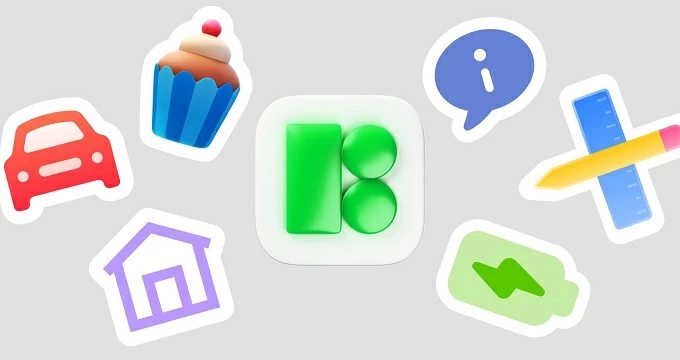
Icons8 attempts to fix this through sheer volume and rigid standardization. It operates less like a marketplace of random contributors and more like a massive, outsourced design department. With a library of over 1.4 million icons across 45+ styles, teams can maintain a strict visual language without ever opening a vector drawing tool.
Maintaining Uniformity Across Massive Projects
Depth is the primary strength here. In many marketplaces, you find a great style with 50 icons. Icons8 averages over 10,000 icons per style pack. For long-term projects, that depth prevents dead ends.
Scenario 1: The Cross-Platform Application
Take a product team building a healthcare application. It needs to run natively on iOS, Android, and Windows. To feel "native," the app must adhere to the specific design guidelines of each OS.
Using Icons8, the design team selects the "iOS 17" style for the Apple version. These icons match Apple's stroke width and corner radius guidelines exactly. For the Android build, they switch the library filter to "Material Outlined." Instantly, they access over 5,500 icons fitting Google's Material Design specs. For the desktop enterprise version, they switch again to the "Windows 11" pack.
The metaphors remain the same across styles. A "settings" gear looks like a gear in all packs, just styled differently. The team swaps the visual language without breaking the user's cognitive understanding of the interface. They don't draw three versions of a "patient record" icon. They just select the same concept in three different filters.
Scenario 2: The Marketing & Presentation Sprint
Not everyone is a UI designer. Marketing teams often need to assemble slide decks or landing pages rapidly. Consistency here means sticking to a brand aesthetic rather than OS guidelines.
In this case, a marketing manager needs a feature page for a new SaaS product. Flat icons feel too technical. They opt for "3D Fluency" or "Liquid Glass" styles to add depth. They search for abstract concepts like "analytics," "growth," and "cloud."
Instead of downloading static assets immediately, they use the in-browser editor. They adjust the background colors of the 3D icons to match the company's hex code. Then, they download high-resolution PNGs (up to 1600px on paid plans) directly from the browser.
The result? A custom-looking asset library created in minutes. No need to wait for the design team to render 3D assets in Blender.
A Typical Design Workflow
For a UI designer, the workflow usually centers around integration rather than the website itself.
A designer opens Figma to work on a new settings panel. They need a specific icon for "data retention." Context-switching to a browser breaks flow, so they open the Icons8 plugin directly within Figma. They set the filter to "Plumpy" (a specific outline style chosen for this project) to ensure the stroke width matches previous screens.
They drag the icon onto the canvas. It enters as a vector.
The visual weight looks slightly off compared to the adjacent text. They use the plugin features to swap to the filled version of the same icon. Later, they need a status indicator. They search for a skull emoji in the Emoji style to use as a placeholder for a "danger zone" deletion warning. Jumping between strict UI icons and expressive emojis without leaving the design tool keeps the momentum going.
Comparison With Alternatives
The icon market is crowded. The right choice depends on budget and scale.
Icons8 vs. In-House Design
Building a proprietary icon set is the ultimate flex for large tech companies. But it is resource-heavy. You need a dedicated designer to maintain it. Icons8 acts as a subscription-based substitute. You lose exclusive ownership of the shapes, but you gain speed. If a specific icon is missing, paid users can request it. Icons8 will draw it. This feature bridges the gap between a software service and an in-house team.
Icons8 vs. Open Source (Feather, Heroicons)
Open-source packs are free and generally high quality. They are excellent for MVPs. But they are small, usually containing 200-500 icons. Once you need niche icons-like "crypto-wallet" or "electric scooter"-you run out of options. Icons8 is the upgrade path when you outgrow the limited vocabulary of open-source sets.
Icons8 vs. Flaticon/Noun Project
Flaticon and Noun Project are aggregators. They host content from thousands of different designers. This results in millions of icons, but inconsistent quality. You might find five "home" icons that look totally different. Icons8 employs a centralized design team. The "Office" style icon pack was likely drawn by the same few people. Curves, padding, and visual logic remain consistent across all 10,000+ icons in that set.
Limitations and When This Tool Is Not The Best Choice
Even with a massive library, specific constraints exist.
The Vector Paywall
Here is the main friction point for developers. SVG (vector) formats sit behind a paywall for most categories. The free tier allows PNG downloads up to 100px. While generous for mockups, 100px raster images rarely suffice for modern, high-density production builds. If you need responsive vectors, you must pay. Note that "Popular," "Logos," and "Characters" categories do offer free vector downloads, but the core UI sets do not.
Attribution Requirements
Stay on the free plan, and you must link back to Icons8. For a personal blog or a student project, this works fine. For a commercial SaaS product or a client website, putting attribution links in the footer is often a dealbreaker. This necessitates a paid plan ($13.25/month for icons).
Style Overload
With 45+ styles, decision paralysis is real. Some styles are trendy (like "Hand Drawn" or "Doodle") and may date your interface quickly. Sticking to the platform-native styles (iOS, Windows, Material) is usually the safest bet for long-term software projects.
Practical Tips for Power Users
Don't waste time browsing aimlessly. Try these workflow adjustments:
- Utilize Collections for Batching: Stop downloading icons one by one. As you browse, drag icons into a "Collection." Once you have the 50 icons needed for a project, recolor the entire collection in one go. Download them as a font, a sprite, or a zip of SVGs.
- Recolor Before Download: The "Recolor" tool isn't just for changing black to blue. Use it to ensure accessibility contrast ratios before importing the asset into your design tool.
- Check the "Logos" Category: The Logos category is free (with attribution) and includes vector formats. This is incredibly useful for finding social media icons, payment provider logos, and tech stack icons without needing a subscription.
- Use the CDN for Prototyping: Developers can grab the direct CDN link or Base64 code for an icon. This is faster than downloading and importing a file when you just need to test a layout in HTML/CSS quickly.
Final Verdict
Icons8 serves a specific slice of the market: professionals who need the consistency of a custom icon set but lack the budget to build one from scratch.
It isn't the cheapest option if you just need a generic arrow. But for teams managing complex applications across multiple platforms, accessing 17,000+ Windows 11 icons or 30,000+ iOS glyphs instantly is a utility that pays for itself in saved design hours.