How to Get Into Locked iPhone without Passcode


Being locked out of Motorola phone doesn't mean a permanent lockout. Here're effective ways to bypass screen lock and remove password, PIN or pattern on a Moto device.

Motorola smartphones are known for clean Android experience, reliable hardware, and strong security features. Like all modern devices, they rely on passwords, PINs, patterns or biometrics to protect user data. However, getting locked out is a surprisingly common problem.
Maybe you forget the unlock method or the phone becomes inaccessible after too many failed attempts. Or perhaps you obtain a preowned device that's still locked. Take it easy—Motorola offers a few ways to bypass the password, pattern or PIN code without knowing exactly what it is and unlock the phone.
In this in-depth guide, you'll learn every possible method of how to bypass screen lock on Moto G, G Power, G Stylus, E series, Edge series, One series, etc., enabling you to unlock your Motorola phone when forgotten the password lock, PIN or pattern stress-free.
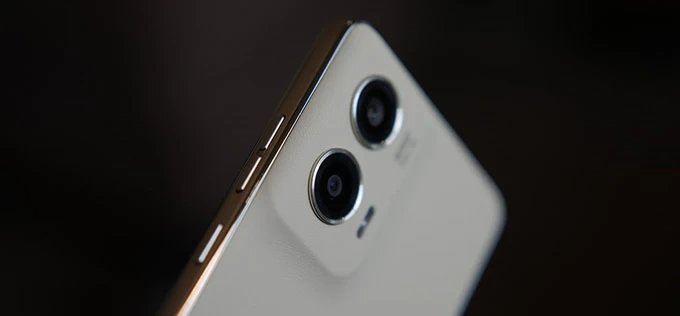
Bypassing PIN, password or pattern is a process of resetting Motorola phone when locked and erasing the lock screen.
Appgeeker Android Unlocker is a good helper to unlock Motorola phones of any Android version without password, pattern, PIN or Google account. It works to remove screen locks and bypass Google FRP in just a few minutes.
Table of contents
When you set a PIN, Pattern, or Password, the phone encrypts your entire storage. This strict security measure makes unlocking a Motorola phone isn't as simple as pressing a button—especially on newer Android versions.
Imagine you manage to bypass a forgotten password, PIN or pattern lock on the Moto device, having your phone back in your hands, fully functional with no "Incorrect password/ PIN/ Pattern" message. You have to perform a factory data reset to trigger Motorola bootloader unlock, which will delete all data and settings permanently and start fresh new. After getting past the lock screen security, you're able to set up a new lock method and restore the handset from an available backup that's made previously.
While a clean slate reset is a universal solution to facilitate Motorola phone unlock when you can't provide the correct device's pattern, PIN or password, you can also attempt several "no-reset" bypasses if you meet specific criteria.
By following this guide, you will master three effective unlocking tools for bypassing the password, pattern or PIN lock you've forgotten on Motorola phone via a complete reset and regain full device use.
As a bonus, some secret tips are also covered to bypass a locked Motorola without factory reset, as well as to overcome Google FRP lock after factory reset.
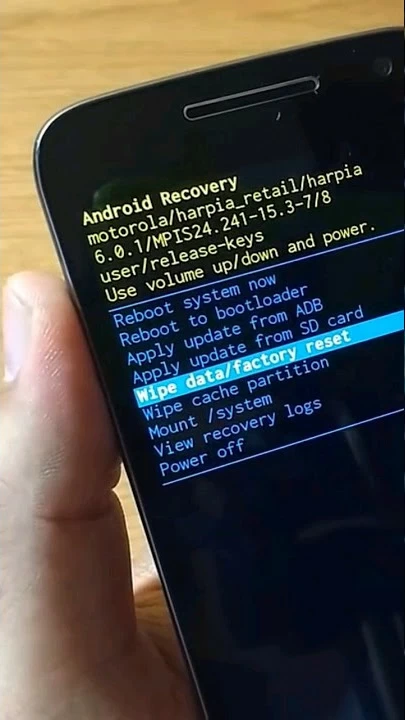
Whether your Motorola phone is locked due to forgotten security lock code, too many wrong attempts, or a second-hand purchase, accessing Android Recovery Mode using the phone's hardware buttons will let you reset Moto phone to factory settings without needing the password, PIN or pattern that's used to unlock the screen.
The process wipes the device clean just to skip the lock screen of Motorola and get you back into your phone directly. After resetting, you may need the original Google account to bypass FRP restrictions for full access.
1- Power down the Motorola phone entirely.
2- Press and hold Volume Down and Power buttons together until the Boot menu appears.
3- Use the Volume Down to scroll through the menu options until you see Recovery Mode highlighted, then press Power button to select it.
4- When the screen displays an Android robot with a red exclamation mark or "no command", keep holding Power button, then press and release the Volume Down button.
5- You are now in the Android Recovery Menu.
6- Use the Volume buttons to scroll down to Wipe data/factory reset, and press Power button to select it.
7- Confirm the action by selecting Factory data reset. Motorola phone will now reset itself in a few seconds.
8- Once the external reset is complete, select Reboot system now. Simply wait for the device to turn back on.
If you're unable to bypass the password, PIN, or pattern on your locked Motorola phone using recovery mode reset—or you're stuck at the Google FRP verification screen without knowing the Google credentials—Appgeeker Android Unlocker offers a faster, safer, and more user-friendly alternative to automate the Moto screen lock bypass.
Designed for non-technical users, this comprehensive PC-based software handles screen unlocking and FRP bypass for all Android devices with high unlock success rate, including Motorola phones. It helps you remove all screen locks and bypass password, PIN, pattern, fingerprint, and face recognition. With a clean interface and step-by-step guidance, it enables fast and secure factory reset to unlocking Android without requiring advanced technical skills.
In case you're deal with a FRP lock after hard reset, the program can also remove the Google account that you have no access to and disable factory reset protection.
Now, download Appgeeker Android Unlocker on your Windows computer and install it. Follow the wizard on how to bypass forgotten Motorola pattern, password or PIN to make your device up and running again.
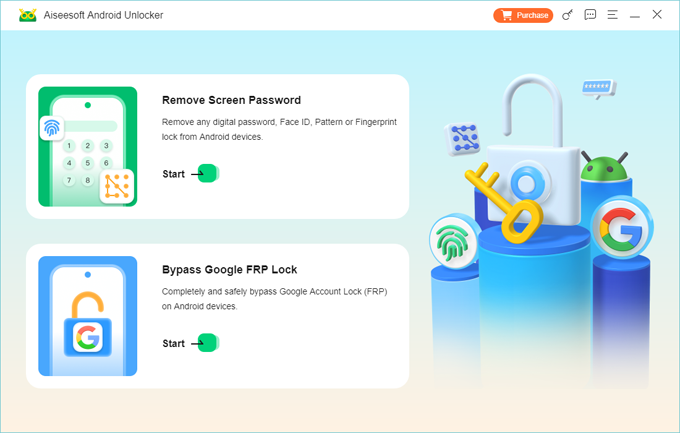
Step 1. Launch Android Unlocker and click Remove Screen Password module.
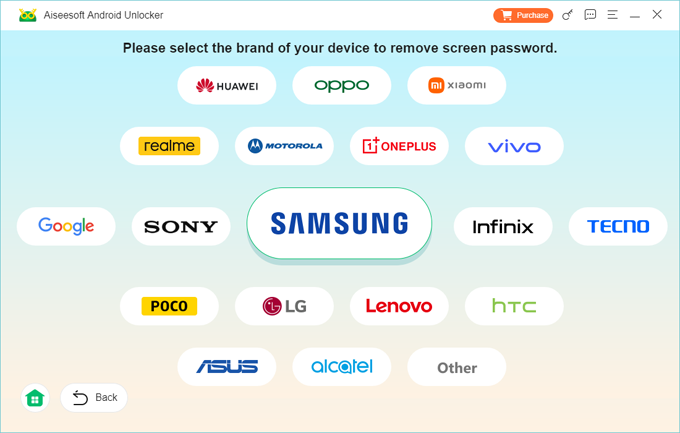
Step 2. For getting into a locked Moto device without password, choose MOTOROLA.
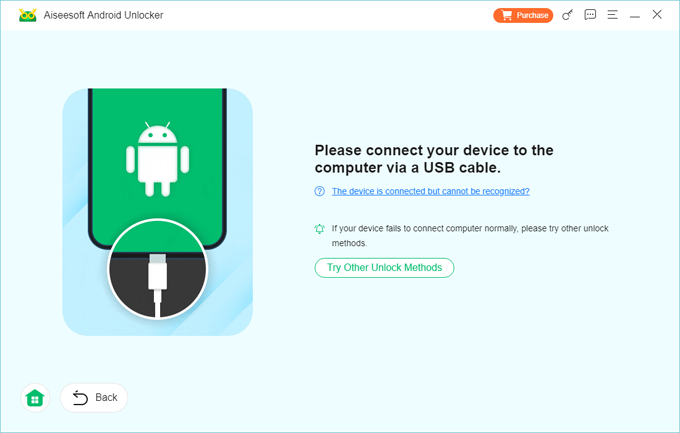
Step 3. Use a USB cable to connect your mobile to the computer.
If the software cannot detect your phone, it will guide you to enter recovery mode.
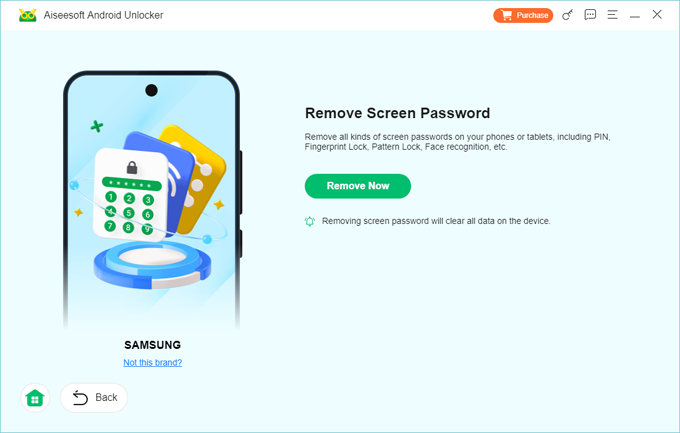
Step 4. When ready, click on the green Remove Now button.
Wait while the software does the factory reset, unlocking the Motorola bootloader and removing the lock automatically in the process.
Within minutes, your Motorola phone (G, E, Edge, X, etc.) will reboot without the lock screen—allowing you to set a new security PIN/ Password/ Pattern and get access back.
Tip: If you're encountering a "Verify your account" screen after reset, simply enter the Google account and password that was previously synced with Motorola. Provided that you don't remember the associated login info, this utility also comes with a toolkit for Motorola FRP bypass by which to remove the Google account and identity verification.
If your Motorola is connected to Wi-Fi or mobile data and has a Google account signed in, you can remotely erase your phone and bypass the lock from any computer. Find Hub service (previously Find My Device) serves as a Motorola Pin code bypass tool and includes a factory reset option that makes removing a forgotten or unknown PIN, password or pattern from the lock screen pretty straightforward.
In case you remember username and password of Google account linked to your Motorola, you don't need to worry about forgetting the PIN, pattern or password for bypassing the screen. Here's how to reset Motorola and its lock code using Google Find Hub.
1. Head to the Google Find Hub website.
2. Sign in with the same Google account that is on your locked Moto mobile.
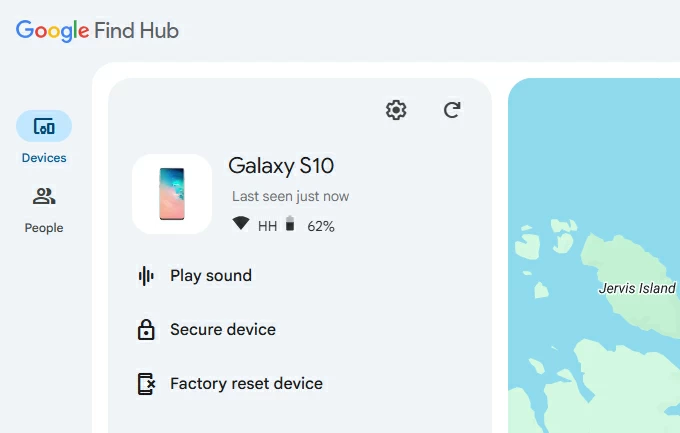
3. Once logged in, select your device from the list on the left.
4. Choose Factory reset device option for a remote bypass of the password.
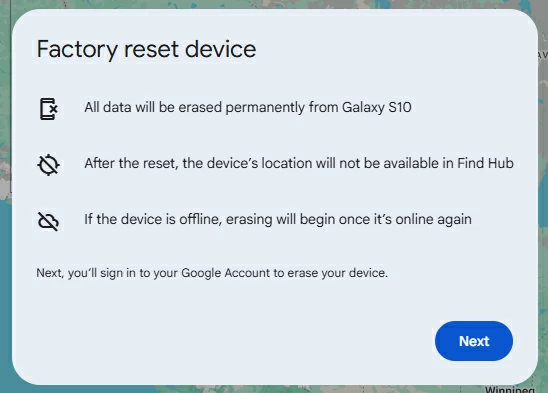
5. When prompted, read the warnings and click Next button.
6. Enter your Google password once again to confirm the action to remotely restore the device, erasing all data including password/PIN/pattern that locks down your Motorola phone.
A hard reset on a Motorola phone is the most useful solution to get past the locks when you have forgotten your PIN, pattern or password or purchased a second-hand device. One thing that most users concern about is the device data. Will the data be deleted? Is there way to unlock Motorola phone password without factory reset?
Yes, it's actually possible to bypass a PIN/ password/ pattern on your own device while preserving user data—but only under specific circumstances. If you want to bypass a Motorola lock screen without losing data, try these advanced unlocking tricks. Know that the results vary depending on Android version and device state.
Option 1: Motorola Extend Lock (Smart Lock)
If you previously enabled Extend Lock or Smart Lock before the lockout, your phone will automatically bypass the password login and unlock itself in trusted situations. Extend Lock options include:
Once the phone unlocks without the PIN, go into Settings and make a full backup, then go with resetting the whole device for the password removal on Motorola.
Option 2. Forgot Pattern / Forgot Password / Forgot PIN option (Android 4.4 or earlier)
If your Motorola phone is running Android 4.4 or lower, you would be able to bypass the lock screen without password using your Google account - no factory reset.
After multiple incorrect pattern attempts, the device's screen should display Forgot Pattern / Forgot Password / Forgot PIN option. Tapping on it will let you enter the Google account credentials to unlock Motorola without password and set a new lock method without data loss.
Option 3. ADB commands (For tech-savvy users)
If you enabled USB Debugging in the Developer Options before Motorola being locked out, you can use Android Debug Bridge (ADB) along with a PC connection to delete the lock screen file from phone's system and remove an Android lock screen while keeping all data intact.
When forgotten the pattern locks, passwords or PIN codes, connect the phone to the computer. Then open Command Prompt/Terminal, and enter the command lines to delete the password file, instantly bypass the password, PIN, pattern on the Motorola without the need for a reset.
Utilize the "adb shell rm /data/system/gesture.key" command to remove pattern locks, and "adb shell rm /data/system/password.key" command to eliminate PIN/password locks.
Once the password, PIN or draw pattern you forgot on Motorola has been bypassed, the device should unlock, returning to its out-of-box state. Set the device up from the scratch, including the action to choose your region & language, connect to Wi-Fi network, sign into your Google account if you have one signed in, as well as restore data from the most recent backup.
If you're stuck on the "Verify your account" screen that requires the original Google account details, it means that the Factory Reset Protection (FRP) triggers. If you're the rightful owner, removing the Android FRP lock is a simple matter of entering the previously registered Google username & password.
If you don't have access to the Google account - especially the device is second-hand and linked to previous owner, a Motorola FRP tool is often the only practical solution. Choose a reliable one something like Appgeeker Android Unlocker that is skilled at a fast Google account removal without any verification for bypassing FRP to fully unlock the phone.
Q1- What to do if I forgot my screen lock password on my Moto G?
When you do not remember the password for unlocking your Moto G phone, the only official and effective way is to perform the factory reset of the entire device. This wipes all contents, apps, settings, lock screen info, and everything inside the system.
Q2- Is there any master unlock code for Motorola phones?
There isn't a master code to unlock a Motorola phone when you're forgetting the password, pattern or PIN. The universal route is resetting the phone to remove the screen locks.
Q3- Does a factory reset remove Google account from Motorola device?
No. If the Google account is not signed out before the reset, it remains active, rendering a FRP lock during the device's setup.
Q4- Can I bypass Motorola phone PIN lock with Google account?
Yes. You can sign into your account via Google Find Hub to erase your Moto device and the PIN code you've forgotten.
Q5- Is Appgeeker Android Unlocker safe to use?
Appgeeker Android Unlocker software is 100% secure and designed to unlock any Android phones which are locked due to screen locks or Google FRP.
Q6- I can't put my Motorola phone into recovery mode to bypass the forgotten draw pattern. How to fix?
Android recovery mode reset requires device shutdown, PC connection and correct button press. If you can't turn off the phone because it asks for the pattern you forgot, you need to wait it to run out of the battery before you can continue with the steps on resetting pattern.
If still failed, try a remote erase of the pattern lock with your Google account, or a manual factory reset with a PC via Appgeeker Android Unlocker software.