
How to Fix iPhone Security Lockout


Forgot your phone number to log into Google account after factory reset? Learn how to fix Google sign-in failure and bypass FRP lock on Android phone effectively.

Quick Answer: If you can't sign in to your Google Account without a phone number for FRP bypass after a reset, you can either use the email address & password, or use Google Account Recovery to recover the credentials to remove Google verification. If the official method won't help, your best bet is to try Appgeeker Android Unlocker, a tool that lets you bypass Google FRP lock and restores full access in minutes - no phone number or SMS code required.
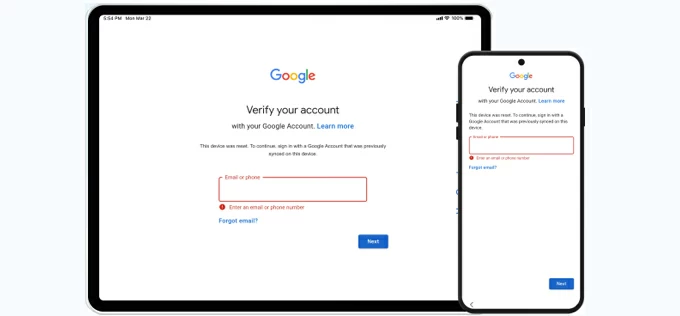
If you're encountering Android factory reset stuck on Google account verification and no phone number available, you can still remove FRP.
Resetting an Android phone should give you a clean, fresh start, and for security reasons, there appears a Factory Reset Protection (FRP) requiring the previously synced Google account to reactivate the device. Simply enter the email or phone number and password to let the system bypass the Google account lock instantly.
What if you couldn't sign into your Google account because you no longer have access to the phone number? Don't worry. Whether you recently changed your phone number linked to the Google account, the device was unused for a long time or bought second-hand, there's hope to fix Google account not logged in after a factory reset for Android FRP lock bypass.
This comprehensive guide will walk you through the journey of solving the "Google account couldn't sign in" error without needing that missing phone number - by recovering Google account if you have recovery methods configured to verify your ownership or directly removing Google account via specialized FRP unlock tool.
Table of contents
The reason for Google account being forced to sign into an Android device after resetting happens is tied to Google's Factory Reset Protection (FRP) or Google Account Verification. This is an important built-in security feature activates automatically once a Google account is added to phone, and triggers when a factory reset is implemented by asking for the EXACT same account credentials (phone number/email & password) that are irrevocably associated with the device.
Without the original phone number/email & password to complete identity verification, Google account blocks sign in for bypassing the FRP lockout barrier.
While Google account verification prevents unauthorized access after fully reset Android especially if it's lost or stolen, this can be a hurdle for the rightful users who are not able to log in Gmail account as they don't have the old phone number or forgot the username or password.
The short answer is yes. Even if FRP requires the last synced Google account, there're six different FRP unlock methods you can take to address "Google account couldn't sign in after reset" on Android without using a phone number — and regain access to your device safely and legitimately. The Google login troubleshooting steps include:
Obviously, a correct Gmail address & password can also access Google account without using the old cellphone number you've forgotten or lost. Once signed in, the device unlocks Google lock and skips to the remaining setup steps for fully unlocking Android.
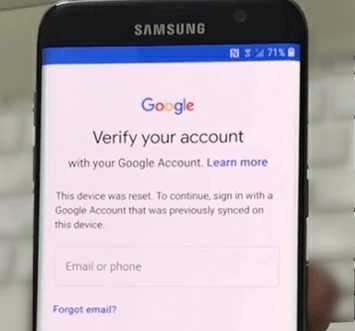
When you reach the "Verify your account" screen that requests for an associated Google account, tap the "Email or phone" field, here since the phone number used to log back in the Google account is long gone, you just enter the [email address] instead. Then, tap Next at the bottom.
The next step is to input the [password] to verify it's you. This way, Android reset sign-in error has been fixed, bypassing the Google account verification screen without relying on a mobile number.
Related: How to unlock a locked Android phone without losing data
When you're locked out of your Google account without knowing the phone number, Google Account Recovery website is where you can rely on your Recovery Email or Security Questions to recover your Google account and bypass Android's factory reset protection. This involves some of authentication by providing the accurate information about your account when Google asks.
If you couldn't sign into your Google account due to forgotten email and phone number, use these steps to recover it for FRP removal. Google needs more information to verify that the Gmail belongs to you before recovering access to Google account.
After recovery, Google typically responds within 24-72 hours. If you are unable to verify ownership to the satisfaction of the system then, unfortunately, you won't be able to recover the account to fix Google Account Verification problem.
In case you don't remember your Google password but know the email address, it's pretty easy to reset the password to something new so you can log in even with no phone number and bypass Google verification after reset.
Keep in mind that, after you resolve Google account blocking signing in after factory reset without an old phone number, you have to wait for 24 hours and up to 72 hours for Google to register the new password. Do not attempt any login on your Google-locked phone during this waiting period.
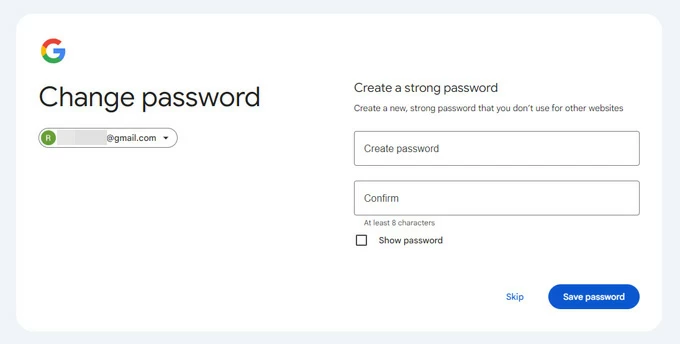
Once the details of your Google credentials - whether the Gmail or password - are recovered, return to Android device, provide the email and password to have Google account logged in and to bypass the verification.
If you've changed your mobile number for your Google account that was used on the Android phone, Google may temporarily hinder sign-in, and take 24 hours to 72 hours to update the reset. This is why when you're experiencing factory reset protection lockout and attempt to log in with your new phone number, Google still cannot verify that you are the account holder.
When Google account isn't signed in after changing phone number or security settings, you just keep the phone connected to stable Wi-Fi and wait for the sync to complete. Do not try to log in as unauthenticated attempts will get Gmail account locked out temporarily.
After the 48-hour or 72-hour delay of changing the number, try using the new, correct phone number to sign into Google account, which triggers an Android FRP bypass on the reset device and unlocks the "Verify your account" screen instantly.
Even if your device can't sign into Google account - either because your old phone number is inaccessible or because you fail to recover Google password, the good news is that you can remove the lock without the need of phone number or any credentials. This is where Google bypass comes in, and Appgeeker Android Unlocker is one of a robust tool that can bypass FRP lock without Google account and get access back.
Compatible with all Android versions and brands, the software works to unlock any screen locks when you're locked out, including the Google account lock (FRP) as well as password, PIN, pattern, face recognition and fingerprint. In a couple of simple clicks, you can effectively remove the Google account without logging in via phone number or recovery email and get past the account verification after a factory reset.
Follow the instructions below to overcome FRP restrictions and fix Google account that won't sign in without phone number after resetting an Android phone.
Step 1. After download Android Unlocker for Windows on your computer, install and launch it.
Step 2. To unlock Google account, choose Bypass Google FRP Lock mode.
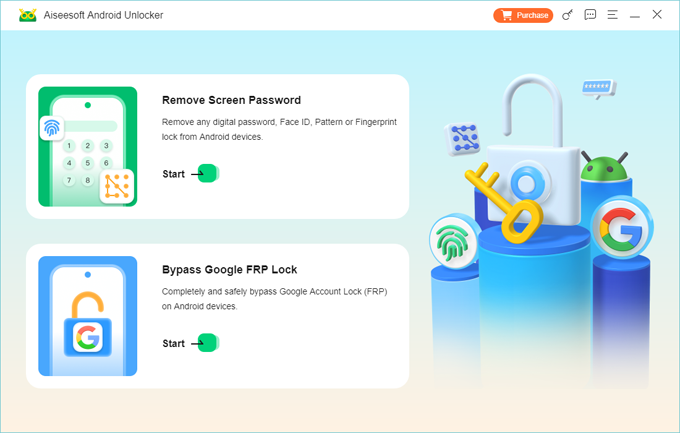
Step 3. Choose the brand of your Android device, like Samsung, OnePlus, Motorola, Xiaomi, Huawei, OPPO, Vivo, etc.
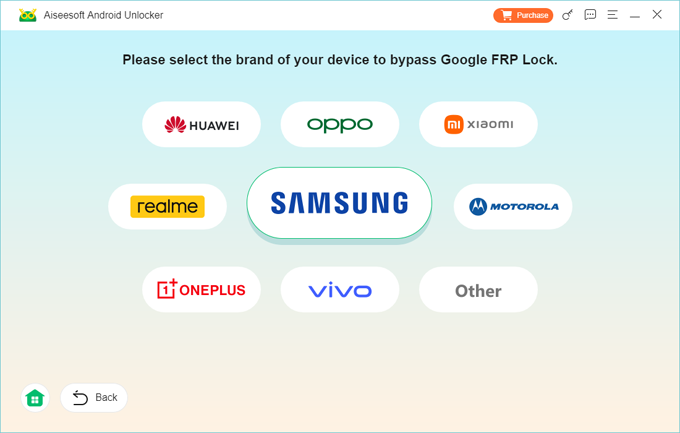
Step 4. Connect your mobile phone to your computer through a USB cable.
Step 5. When the software detects your phone stuck on Google verification screen due to Android FRP, click Bypass Now button.
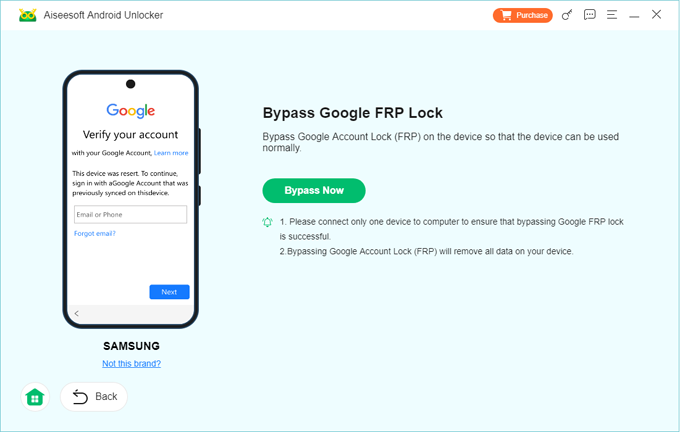
Follow the onscreen prompts to put your device into a diagnostic mode for Google lock unlocking. Then click Next button.
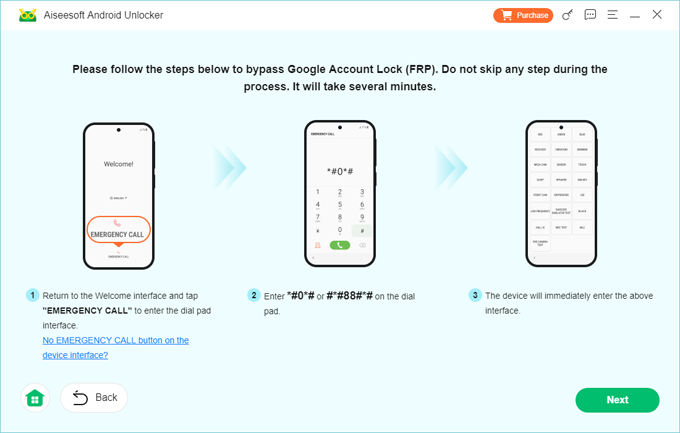
Step 6. The FRP bypass tool for Android now starts making some configurations on your device to get it ready for removing Google account if you can't verify your phone number.
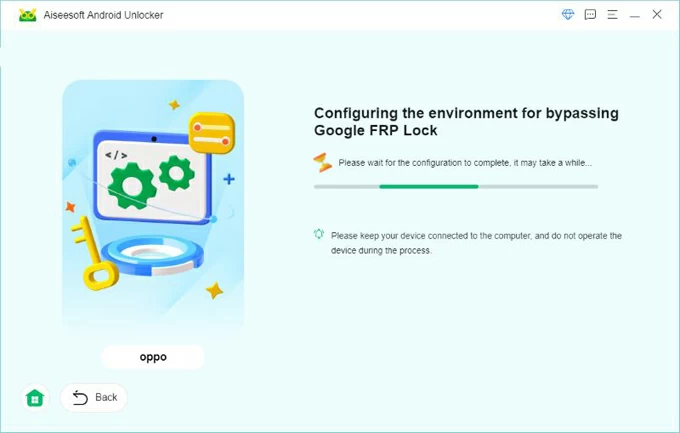
When that's done, the Google account removal process should begin. Wait until the process is completed.
Your phone will reboot, letting you go through the setup process and add a new Google account to enjoy full functionalities. With the Google FRP removed, you don't need your phone number and sign into Google account to get access to your device.
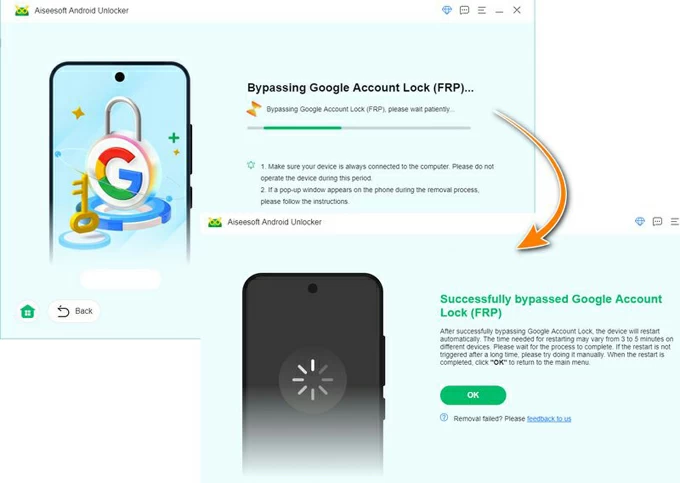
That's it. Appgeeker Android Unlocker comes to help unlocking your Google-locked phone in case your phone number is forgotten or account info is lost. It also works faster than the native Google Account Recovery which requires enough corresponding details to convince Google that you are the correct account user.
See also: How to bypass Google account verification on Samsung phone
Another useful option is to contact Google support or your device manufacturer to prove your legitimate ownership even your phone number to the last synced Google account isn't available anymore. For a manual verification, you'll need to provide any information tied to your Google account profile, purchase receipt, as well as IMEI or serial number. Once the device is recognized as belonging to you, the technician then uses proprietary software to reset the device's logic board memory, removing the FRP lock.
If you inherited or purchased a preowned Android device and Factory Reset Protection is the reason you can't sign into Google account, contacting previous owner to remove the previously registered account is a possible solution.
The previous owner can head to myaccount.google.com site to remove the device from their Google account remotely. Once removed, the FRP locks clears, getting you back into the device with no need to verify Google account via phone number. This way, you manage to eliminated the Google account that can't be accessed after reset without the previous mobile number, and skip the verification of Google.
When Google couldn't sign into account after factory resetting Android phone, it means that FRP is enabled and Google cannot verify identity. This often happens due to missing phone number verification, incorrect account details (username & password), or temporary security blocks.
Hope any of troubleshoot tip mentioned above could save you from locking out of Google account in the event that you do not have the phone number, and help bypassing the FRP lock without Google login information.
Start with using the email & password if you do remember for login and Google verification bypass, then move to official Google account recovery method to recover the account using recovery email or security questions, or wait for the FRP cooldown period. If fails, turn to the reliable Appgeeker Android Unlocker to directly delete Google account from the device and remove FRP. You can also contact the manufacturer or previous owner to get your device up and running again without signing in Google account.