
Forgot Samsung Tablet Password. How to Unlock It


Whether you're locked out by a screen lock, FRP lock, or SIM lock and unable to access the Android device, this article lists the top Android unlock tools to help you regain access.

Professional Appgeeker Android Unlocker tool can efficiently and safely remove screen locks or bypass Google FRP verification on any Android device, letting you take full control of your device once again.

Always download Android unlock tools from official or reputable sources for maximum safety.
You may encounter various locking issues with your Android phone, such as forgetting your lock screen password, pattern, or PIN; acquiring a second-hand device; or losing access to the associated Google account credentials. Due to Android's multi-layered security architecture, these situations can leave you locked out by a screen lock, an FRP lock, or even a SIM lock.
Each type of security barrier requires a different approach, and this is where Android unlock tools come in handy. These specialized Android unlocking tools are designed to crack specific types of locks (screen lock, FRP lock, SIM lock) or provide a comprehensive all-in-one unlocking environment, saving you a lot of time and effort.
This article reviews the best Android unlocker tools, with a focus on analyzing their advantages, disadvantages, and ideal usage scenarios. From beginner-friendly interfaces to professional-level controls, this guide will help you choose the right Android unlock tool for unlocking your Android phone and understand how each one works in real-world applications.
Table of contents
All-in-one Android unlock tools are developed to provide a "one-stop" resolution for lockout problems. Rather than requiring users to install separate software for screen locks, FRP locks, and system access, these platforms strive to serve as a unified hub for Android recovery and unlocking control. Here are four of the more popular Android unlocker tools.
Positioning: The most beginner-friendly dual unlock solution
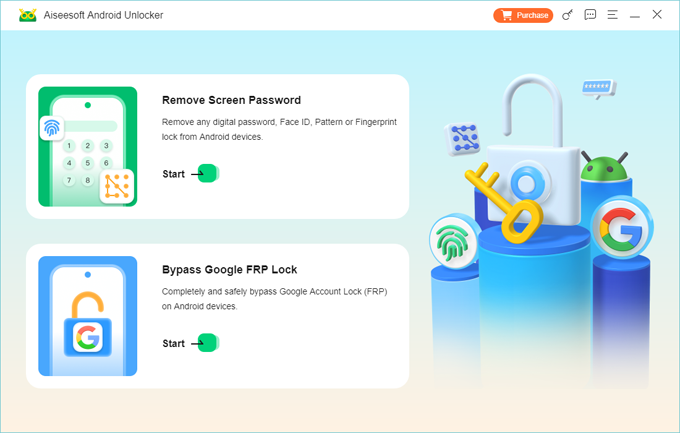
Appgeeker Android Unlocker focuses on two primary challenges faced by Android phone and tablet users: Screen Locks and FRP Locks. To address these issues, the tool provides two modules—Remove Screen Password and Bypass Google FRP Lock—allowing you to confidently unlock an Android device without a password/pattern/PIN or bypass FRP without Google account verification.
Whether you've forgotten your lock screen password, pattern, or PIN, or you're trying to bypass Google account verification after a factory reset, this Android unlocking tool has you covered. It supports over 15 popular phone brands, including Samsung, Motorola, Google Pixel, OnePlus, Xiaomi, Huawei, and more, while being compatible with various Android system versions.
The core philosophy behind Appgeeker Android Unlocker is to guide users through the unlocking process with clear and structured steps. From the moment you connect your device, the tool offers visual cues and device-specific recommendations. Unlike many tools that overwhelm users with countless options, it filters the process based on your specific model and lock type, automatically downloading the necessary firmware packages to unlock your phone.
Here's how to use AppGeeker Android Unlocker to get into your locked Android phone without a password, pattern, or PIN:
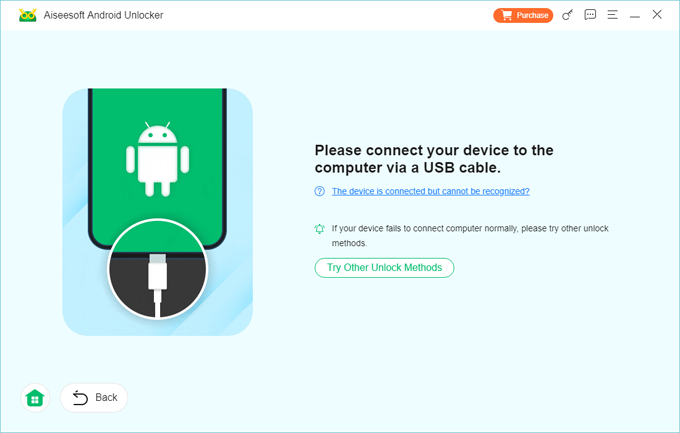
1. Use a high-quality data cable to plug your locked Android phone into your computer and launch the Appgeeker Android Unlocker tool.
2. Choose "Remove Screen Password" and the tool will automatically detect your connected model.
3. If your device is not detected, click the link "The device is connected but cannot be recognized?" and follow the on-screen instructions to boot your phone into Recovery Mode.
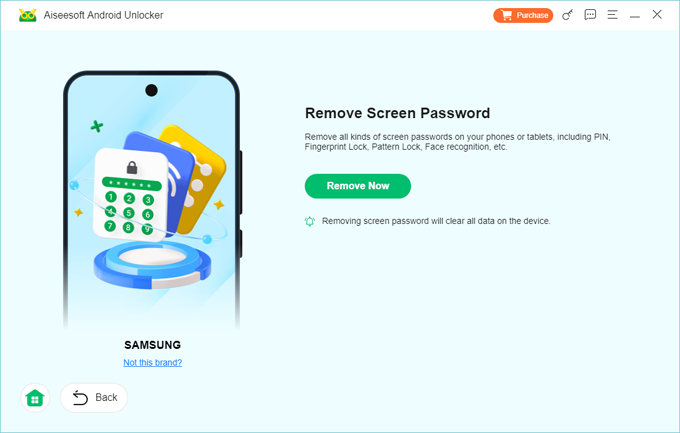
4. Once connected, click "Remove Now." This will reset your Android phone to factory settings, thereby removing the screen lock settings.
Wait for the unlocking process to finish. Your Android phone will reboot to the initial setup screen. When you complete the setup wizard, you will have full access to your device again.
Pros:
Cons:
Positioning: The stability-driven unlocking platform
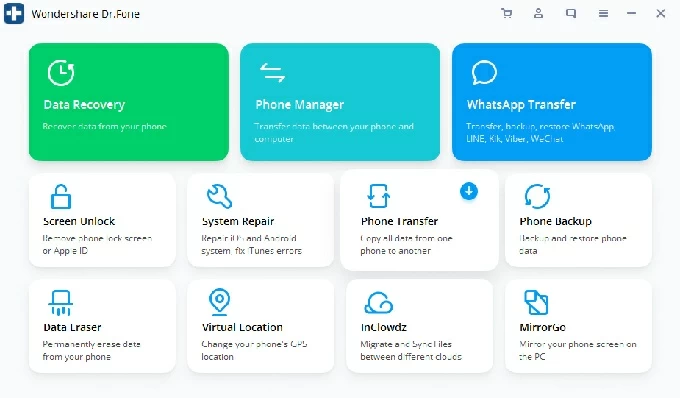
Developed by Wondershare, Dr.Fone – Screen Unlock (Android) treats unlocking as part of a broader device maintenance ecosystem rather than an isolated task. Its unlock module is integrated with system repair, backup, and data management tools, making it feel more like a complete mobile service workstation.
Even if your Android device becomes locked after multiple incorrect password attempts, this tool can effortlessly remove your screen lock, including passwords, patterns, PINs, Face IDs, and fingerprints.
Additionally, it offers a reliable way to bypass or remove the FRP (Factory Reset Protection) lock when you forgot or don't know the linked Google account credentials — helping you avoid the frustration of your Android phone turning into an expensive brick.
Pros:
Cons:
Positioning: The speed-oriented unlock engine
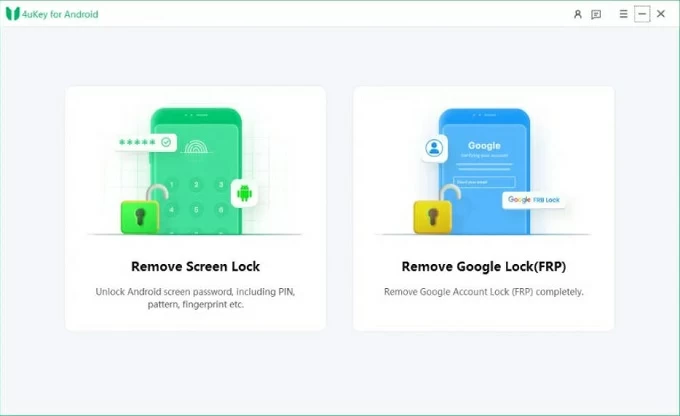
4uKey Android Phone Unlocker eliminates nearly every unnecessary step from the unlocking process. From detection to unlocking, the workflow is streamlined and rapid, operating with almost mechanical precision. There are no lengthy explanations, no diagnostic interfaces, and no cluttered advanced menus.
Like a master locksmith for the digital age, this Android unlocker tool excels at cracking patterns, passwords, and FRP locks, particularly on Samsung and Oppo devices. It demonstrates outstanding compatibility with modern security patches, supporting not only legacy systems like Android 4/11/12 but also the latest Android 16.
The core strength of 4uKey lies in its efficiency—for supported devices, it completes the unlocking process of screen locks and FRP blocks with minimal interaction.
Pros:
Cons:
Positioning: The recovery-oriented unlock toolkit
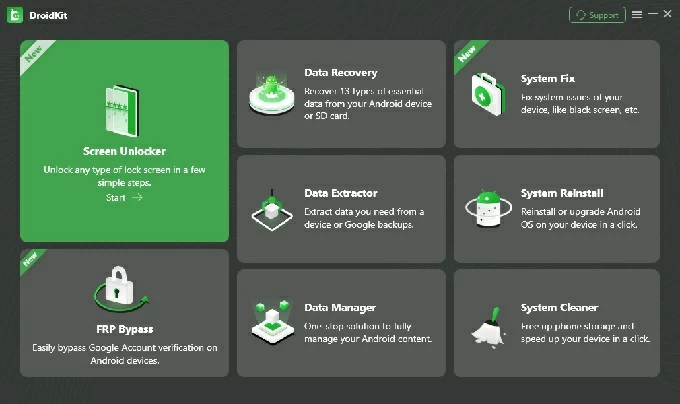
As a comprehensive low-level Android system utility, the iMobie DroidKit suite goes far beyond simple unlocking; it is capable of excavating hidden data caches and patching system vulnerabilities, making it an ideal choice for full system recovery and maintenance.
When dealing with a screen-locked device, it removes your PIN, pattern, or password by resetting the system partition, which means your data will be erased, similar to performing a factory reset. For FRP (Factory Reset Protection), DroidKit follows a guided workflow to bypass the Google account verification post-reset, allowing you to set up the device again.
Pros:
Cons:
Factory Reset Protection (FRP) is engineered to render a stolen phone unusable even after a reset. These tools focus on one core task: bypassing the Google account verification. They are not primarily intended to remove the screen lock itself or carrier restrictions.
While some of these Android FRP unlock tools can also remove local screen locks by modifying or resetting the security layers stored in the Android system, their standout strength for Android phones lies in unlocking the FRP lock without Google account details.
Positioning: The firmware replacement method for FRP unlocking on Android
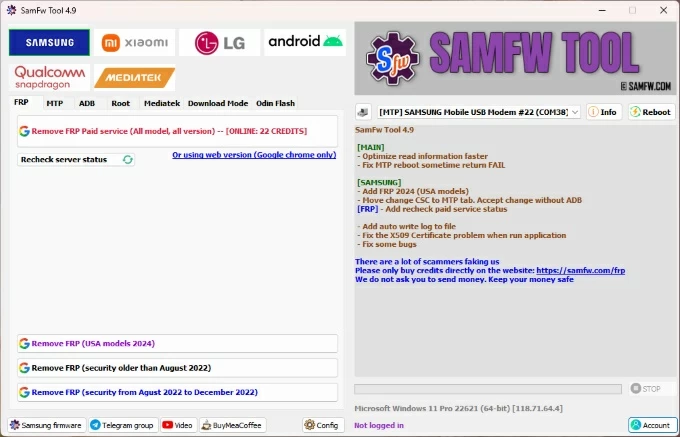
Originally designed specifically for modifying Samsung devices, SamFw Tool has evolved into an exceptionally streamlined FRP unlocking powerhouse. It can effortlessly handle the latest Android security patches with one-click operations, utilizing Test Mode, the Emergency Dialer, or ADB (Android Debug Bridge) to remove previously synced Google accounts without requiring any credentials, letting you unlock and use your Android phone normally.
This Android FRP unlocking tool boasts exceptional compatibility with Samsung models, as it communicates directly with Samsung's internal service interfaces to disable the FRP flag during the setup process. To ensure device compatibility and protect against malware, you should download the latest version from the official SamFw Tool website.
Pros:
Cons:
For more information about this Android unlocking tool, you may refer to How to use SamFw FRP Tool to bypass FRP on Samsung or Android.
Positioning: Specialized Samsung FRP unlocking Tool
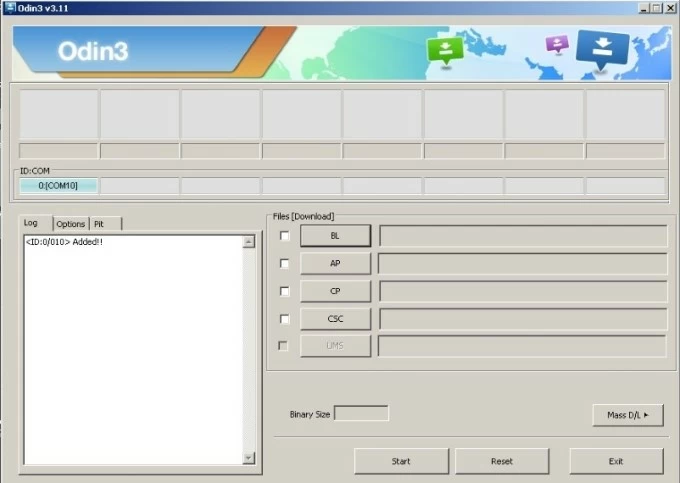
Odin is a "binary-level" flashing tool originally used by Samsung engineers as an official internal utility, now made available to the public. This Android unlock tool works in combination with Samsung USB drivers to bypass the FRP lock by flashing official firmware, resetting the system state, and allowing the device to boot as if it were brand new.
Rather than simply tricking the lock, Odin completely replaces the operating system environment by overwriting the specific partitions that store Google account links and security flags.
Pros:
Cons:
For detailed step-by-step instructions, read Bypass FRP using Samsung FRP reset file with Odin.
Positioning: The command-based FRP manipulation engine
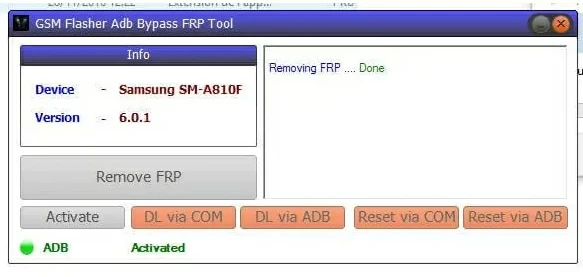
This lightweight, command-line Android unlocking utility harnesses the power of pure ADB to issue targeted bypass commands. It requires no registration or payment, allowing you to unlock FRP lock without Google account details on a wide range of brands.
Instead of replacing firmware, it modifies the data checked during the setup wizard. Operating at the command-line level makes GSM Flasher both flexible and highly adaptable, though it needs a certain degree of technical proficiency.
Pros:
Cons:
A SIM lock is not tied to your screen or Google account—it is enforced by the mobile network carrier. SIM unlock tools for Android remove or override the carrier restriction stored in the baseband configuration.
Positioning: The algorithm-based code generator for legacy Nokia devices
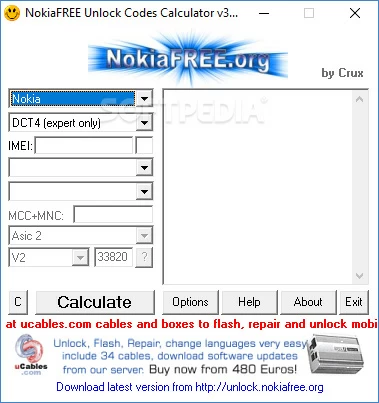
NokiaFREE works by using an IMEI-based algorithm to generate the network unlock code. It does not modify the firmware in any way—instead, it calculates the exact same code that the original carrier used to unlock the phone.
By inputting the device's IMEI and network provider details, the tool generates a sequence identical to the unlocking string provided by carriers at the time of the phone's initial release. Once this code is entered, the baseband immediately recognizes and accepts any SIM card.
Pros:
Cons:
Positioning: The baseband rewriting utility
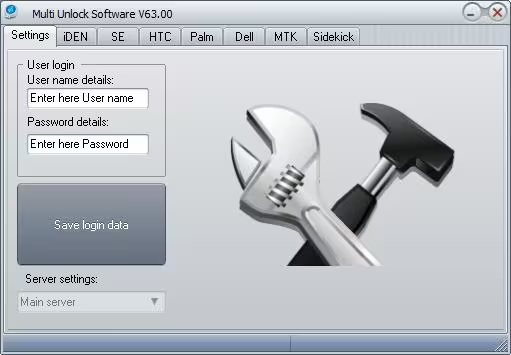
This compact yet powerful Windows-based Android unlock tool specializes in unlocking legacy and mid-range devices from a wide array of manufacturers, including HTC, Alcatel, Sony, Dell, BlackBerry, Huawei, ZTE, and iDEN.
Its standout feature is the code-generation engine that computes permanent carrier unlock codes directly from the device's IMEI, allowing seamless SIM swaps across networks without hardware interventions or waiting on carrier approvals. Remember to remove and reinsert your SIM card before using this tool to unlock your Android phone.
Pros:
Cons:
Positioning: The cloud-request SIM unlock service
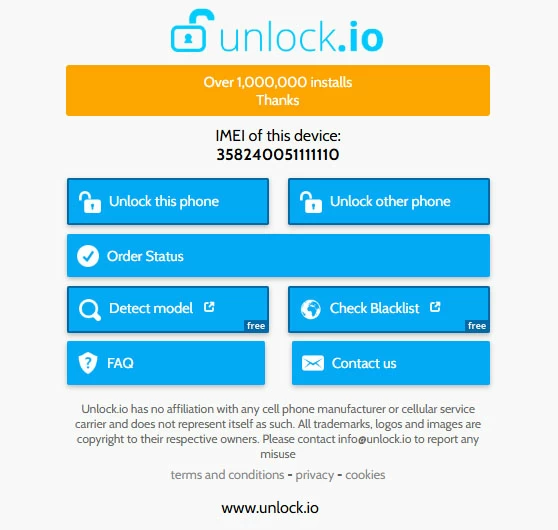
Unlock.io is an excellent choice for users who want a legitimate server-side SIM unlock without tampering with their device's firmware. Unlike other methods, Unlock.io does not use local tools. Instead, it operates by communicating with carrier databases to request official unlocking authorization associated with the device's IMEI. Once approved, the carrier remotely lifts the SIM lock on your Android device.
Pros:
Cons:
Conclusion
There is no single Android unlock tool that works for every situation. Screen locks, FRP locks, and SIM restrictions live on different system layers, and each one requires a tool built for that specific barrier.
Some solutions focus on convenience, others on control, and a few go deep into firmware or carrier systems. What matters most is not which Android unlocking tool is stronger, but which one fits your lock type, device brand, and technical level.
1. Are Android unlocking tools safe?
Yes, they are safe as long as they are used correctly on supported devices. However, because these tools operate at the system, firmware, or carrier level, using the wrong method can lead to data loss or system errors. It is crucial to select a tool that matches your specific lock type and device brand.
Furthermore, always ensure that you download third-party unlocking tools for Android from official, reliable, or reputable websites. Finally, for legal compliance, ensure that you own the device or have obtained explicit permission to unlock it.
2. Will using an Android unlock tool erase my data?
In most cases, yes. Using Android unlock tools to remove a screen lock or bypass FRP lock requires a system reset, which deletes all user data and settings. However, if you are performing a SIM unlock, your data will typically remain intact.
3. Can a single Android unlocker tool remove Screen, FRP, and SIM locks all at once?
It is rare for a single Android unlocker tool to handle all three. Most utilities focus on one or two specific areas. All-in-one Android unlock tools typically prioritize Screen Lock and FRP removal, whereas SIM unlocking usually requires a separate, carrier-level solution.