Bypass FRP using Samsung FRP reset file with Odin


Explore top Samsung FRP unlocking tools, including PC-based tools, APK, and online services, to bypass Google verification and unlock your phone or tablet after a reset.

Top solution: For users who no longer have access to the requested Google credentials, Appgeeker Android Unlocker offers a straightforward way to bypass Google verification and unlock FRP-locked Samsung phones and tablets quickly.
Explore different FRP unlocker tools for Samsung and choose the one that best suits your needs.
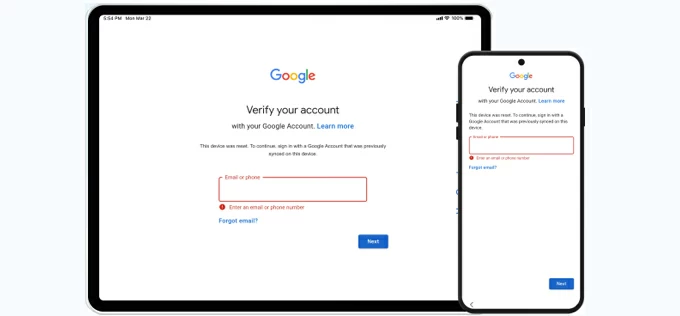
Setting up a newly reset Samsung phone or tablet but only to be asked for the Google account previously synced to the device? If you encounter the Google account verification screen during setup, the device is protected by Factory Reset Protection (FRP).
FRP is a built-in Android security feature designed to prevent unauthorized access after a factory reset. Normally, you can unlock the FRP lock on Samsung by signing with the Google account that was previously associated with the device.
However, if you've forgotten those credentials or purchased a second-hand device that's still linked to the last owner's account, you may find yourself locked out. In these situations, a Samsung FRP unlock tool can be a practical solution for regaining full access to your phone or tablet without the original Google credentials.
In this guide, we've complied several Samsung FRP unlock tools that have proven effective in helping users bypass FRP locks and regain control of their devices.
Table of contents
A Samsung FRP unlock tool is software designed to remove or bypass Factory Reset Protection (FRP) on Samsung Galaxy smartphones and tablets.
FRP is automatically enabled on Samsung devices running Android 5.1 (Lollipop) or later once a Google account is added. After a factory reset, the device will prompt you to sign in with the last-used Google account to verify ownership during next setup. Without the correct credentials, the Samsung device remains FRP-locked.
If you've forgotten your Google sign-in details or inherited a used device still tied to the previous owner's account, there are two common ways to unlock Samsung FRP and regain access:
In short, being locked out by FRP doesn't mean your device is unusable. The Samsung FRP unlock tools introduced below can help you restore access to your phone or tablet efficiently.
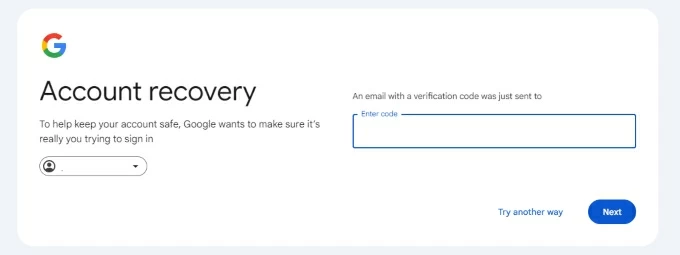
If you know the Google account email associated with the device but have forgotten the password, Google provides an official way to regain access through its Account Recovery service. By verifying your identity using a recovery phone number or email address, you can reset the password online and sync the updated credentials across all linked devices, including the FRP-locked Samsung.
Once the new password is updated, you can unlock the FRP on your Samsung phone or tablet by singing in during setup, no additional downloads required.
Pros:
Cons:
If you still cannot verify the Google account after a factory reset, some PC-based FRP unlock tools can help bypass the Google FRP to unlock your Samsung phone and tablet for full access.
When it comes to unlocking FRP on Samsung after a factory reset, Appgeeker Android Unlocker is a reliable option for restoring access.
This PC-based Samsung FRP unlock tool supports a wide range of Samsung models and Android versions. With a simple, guided process, users can remove the previously-associated Google account, bypass verification screen, and unlock FRP on Samsung phones or tablets with ease.
Without requiring technical expertise, it helps you remove the required Google account and skip the verification screen during setup, letting you unlock your Samsung phone or tablet to regain full access even if it's FRP-locked.
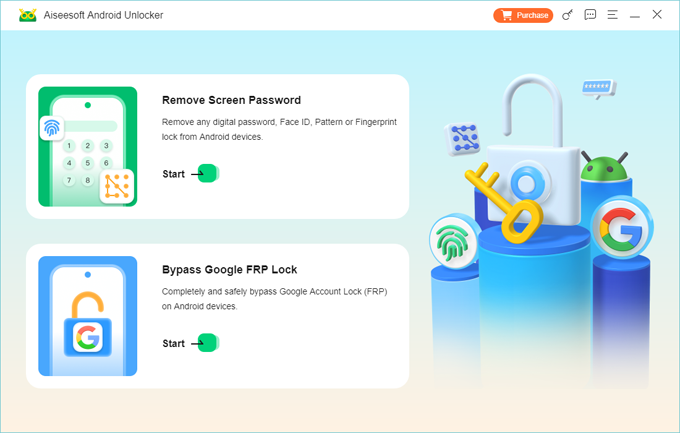
Step 1. Launch Appgeeker Android Unlocker on your PC and start with Bypass Google FRP Lock.
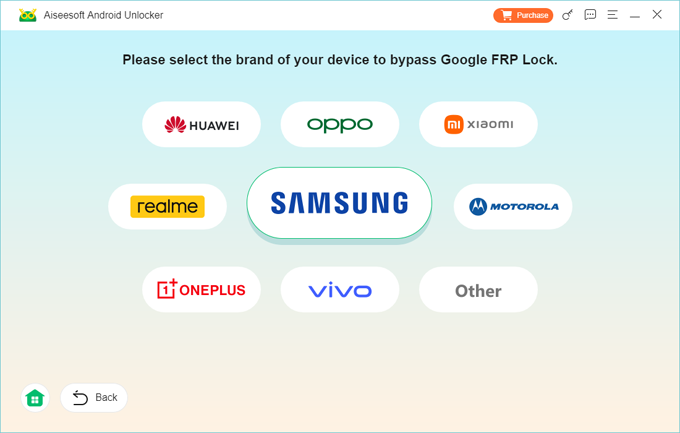
Step 2. Choose Samsung logo from the brands and connect your FRP-locked phone or tablet using a USB cable.
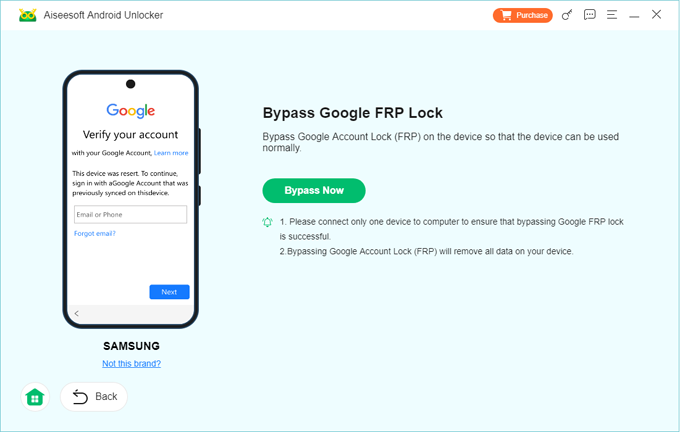
Step 3. When you see the Bypass Google FRP Lock screen, click Bypass Now to go on.
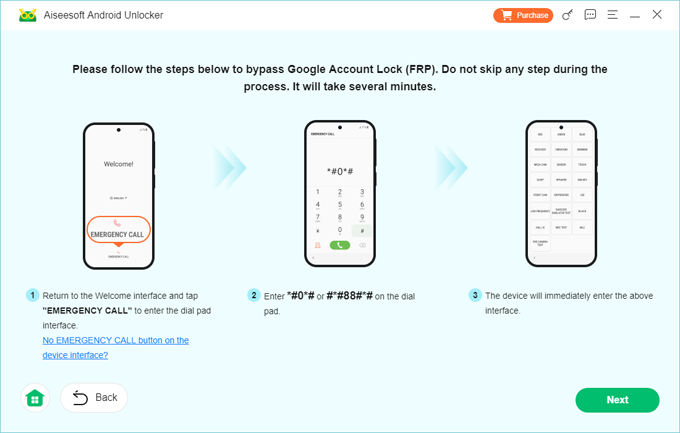
Note: If prompted, follow the onscreen instructions to operate your Samsung device and get it prepared for FRP unlocking.
Step 4. Allow it a few minutes to configure the bypassing environment, and do not unplug your Samsung device until the FRP is unlocked successfully.
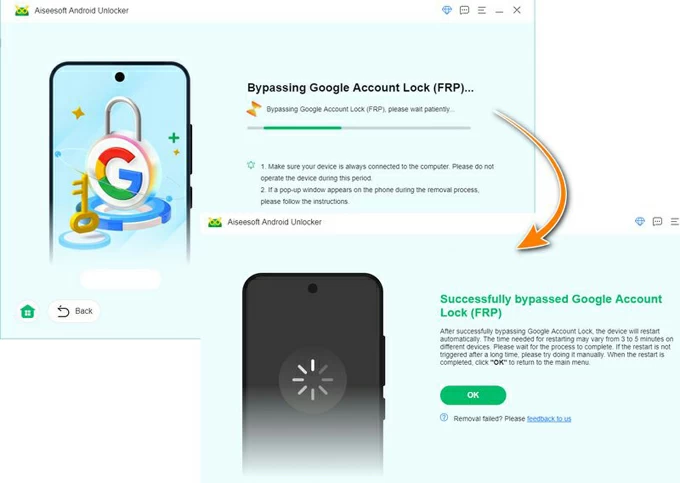
After that, the Samsung device will be FRP-unlocked, requiring no Google account to sign in. You can then complete the setup prompts to use your phone or tablet again.
Pros:
Cons:
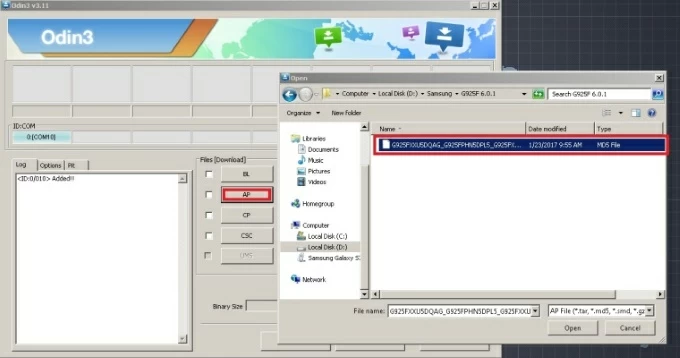
Odin is Samsung's official firmware flashing tool. In some cases, it can also be used as an FRP unlock tool, helping users get into their Samsung phone or tablet after a factory reset.
By flashing with compatible firmware, it interacts directly with Samsung system, allowing you to remove the previously linked Google account even the device is FRP-protected. To use Odin for FRP unlock, the process requires to install the Samsung Android USB Driver and the correct Samsung FRP Firmware for your specific model.
Pros:
Cons:
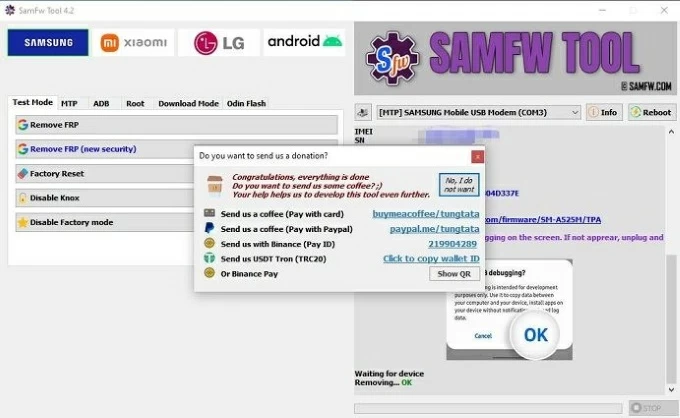
If you no longer have access to the previously-synced Google account credentials, the Windows-based SamFw FRP Bypass Tool can help you unlock your Samsung device with a PC. It offers a free version that allows users to bypass Google account verification during setup, enabling you to remove the FRP lock and regain normal access to your Samsung phone or tablet.
Pros:
Cons:
APK-based Samsung FRP unlock tools work by installing a specialized application directly onto the FRP-locked device. These tools exploit access points during the setup process to open system settings, allowing users to bypass the Google account verification screen.
In some cases, the process requires an OTG (On-The-Go) adapter to install the FRP bypass APK files on a locked Samsung device.
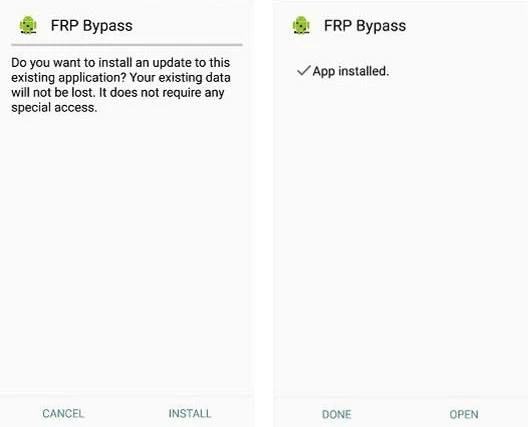
Available from pangu.in, Pangu FRP Bypass APK is a widely used unlocking tool compatible with Samsung, VIVO, OPPO, Lenovo, and LG devices running Android 5.1 to Android 13.
Designed to work without a PC, Pangu helps users bypass Factory Reset Protection on Samsung devices after a factory reset, especially in situations where the previously associated Google account credentials are no longer available.
Pros:
Cons:
After unlocking the FRP on your Samsung, you'll be able to set it up again and use your phone or tablet as a new device and add your own Google account.
Originally developed for resolving Android system and firmware issues, Fixfirmware APK also includes FRP bypass functionality that can help Samsung users remove the Google FRP lock and regain full access to their phone or tablet, with no need for account verification.
The process requires to download and install the Fixfirmware APK directly on the device during setup, which makes it convenient to unlock the Samsung FRP without using a computer.
Pros:
Cons:
Without requiring any file downloads or software installation, some online FRP unlock services offer a fast way to remotely bypass the FRP lock on Samsung smartphones and tablets, allowing access to their devices quickly.
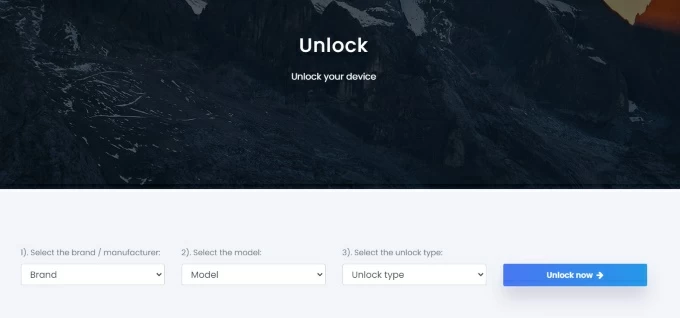
UnlockJunky is a trusted online Samsung FRP unlock tool. Rather than offering a standalone downloadable app, it provides remote FRP bypass and Google account removal for Samsung devices and some other Android brands through a cloud-based, technician-assisted process.
After placing an order on the UnlockJunky website, their technical team guides you to bypass the FRP lock on your Samsung device in minutes. Once done, you can access your phone or tablet without the previously linked Google account and complete the setup as a new device.
Pros:
Cons:
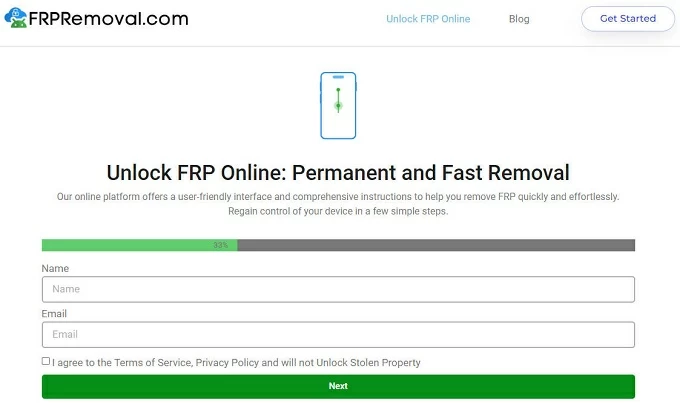
FRPRemoval.com offers an online solution for unlocking FRP on Samsung devices. By submitting your device model, IMEI number, and email address, the service provides a Dummy ID that contains a set of temporary login credentials linked to your device's IMEI, so you can use it to remove the Google account from Samsung even after a reset.
Once the process is completed successfully, your Samsung device should be FRP unlocked, allowing you to access the phone or tablet without further Google account verification.
Pros:
Cons:
The best Samsung FRP unlock tool depends on your specific situation and requirements.
To unlock your FRP-locked Samsung phone or tablet, choose the right method based on your device model, available equipment, technical experience, and budget.
After successfully unlocking FRP on your Samsung phone or tablet, it's crucial to take steps to prevent future lockouts, especially if you ever need to factory reset the device again.
To avoid being FRP-locked in the future, remove all Google accounts from the device before performing a factory reset.
Once the Google account is removed, Factory Reset Protection is automatically disabled. Afterward, you can reset your Samsung device without being prompted for Google account verification during the next setup.
Q1 - How can I unlock an FRP-locked Samsung phone after a reset?
If you still know the Google account previously linked to the device but forgot the password, use the official Google Account Recovery website to recover credentials and unlock FRP.
If you no longer have access to the original Google credentials, you can use a reliable Samsung FRP unlocker tool. Whether you choose a PC-based tool, an FRP bypass APK, or an online service, the tools mentioned above can help you unlock the FRP after resetting your phone.
If you're looking for an easy-to-use tool, Appgeeker Android Unlocker can be a strong option for quick FRP bypass on Samsung smartphones and tablets, whether you've forgotten your Google password or the device is still linked to the previous user's account.
Q2 - Is there any FRP tool that can unlock a Samsung phone for free?
Yes. There are several free FRP unlock tools available for Samsung.
For example, Odin (Samsung's official firmware flashing tool) and Pangu FRP Bypass APK can be used in certain scenarios. Additionally, if you only forgot your Google account password, you can use Google Account Recovery website to reset your password online and unlock FRP on your Samsung phone at no cost.
Q3 - Which Samsung FRP unlock tool can work without a PC?
Generally, the APK-based FRP bypass tools and some online FRP unlock services can be used without using a PC. APK-based tools run directly on the Samsung device, while online services perform the unlock remotely through technician-assisted sessions.
Q4 - Can Samsung FRP be unlocked using online services?
Yes. Some online FRP unlocking services can help unlock Samsung phones and tablets remotely. You can use the trusted tools, such as UnlockJunky, FRPRemvoal.com, ExpressUnlocks, UnlockHere, etc.