Motorola FRP bypass tools download [Full review]


Explore safe ways to bypass FRP lock on Motorola after a factory reset. Discover Google Account recovery steps, remote removal, or reliable FRP bypass tools to regain access.

Efficient solution: Appgeeker Android Unlocker provides a quick and reliable way for FRP bypass if your Motorola phone is locked after a factory reset or if you don't have access to the Google account credentials previously associated with the device.
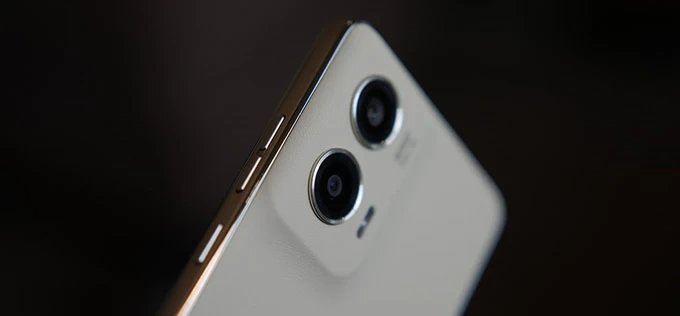
Bypassing FRP lock on Motorola can be relatively easy by using Google Account recovery or helpful FRP bypass tools.
Did you factory reset your Motorola phone to start fresh, only to get stuck at Google account verification screen during setup? This happens due to Factory Reset Protection (FRP), a built-in Android security feature designed to prevent unauthorized access after a device reset.
Normally, you can regain access by signing in with the Google account that was previously synced to the device. However, if you no longer remember the account credentials or purchased a used Motorola phone that is still linked to the previous owner's Google account, standard verification is not possible. In such cases, additional methods or tools are required to bypass the Motorola FRP lock and recover access to your phone.
Regardless of your situation, this guide will walk you through multiple ways to bypass FRP lock on Motorola phones, with or without the original Google account.
Table of contents
FRP lock, short for Factory Reset Protection, is a built-in security feature on Android 5.1 Lollipop or later that is automatically enabled on Motorola once a Google account is added to the device. It's designed to prevent unauthorized access if the phone is reset without the owner's permission.
FRP lock is auto-activated during setup after a factory reset, whether intentionally or not. When someone attempts to set up a factory-reset Motorola phone, the FRP lock requires verification of the Google account previously used on this device.
If you remember your credentials, you can easily verify your Google account during setup and get back to your phone. However, if you're unable to provide the original Google account username and password, the FRP locks your Moto device efficiently and won't let you complete the setups. In this situation, there're common options to bypass the FRP lock on Motorola and regain access.
The following sections will explain these methods in detail and help you choose the best approach to bypass Motorola FRP lock.
As the FRP lock is triggered by a linked Google account, recovering your forgotten sign-in credentials or completely removing the associated Google account can help bypass FRP lock on your Motorola phone.
If you forgot your Google account credentials after a factory reset, the first option for Motorola FRP bypass is using Google Account Recovery.
Google securely stores your account information on its servers and provides an online recovery process if you forget your login details. As long as you're still able to verify your identity, you can reset your password online and then use the updated credentials to pass the FRP lock on your Motorola phone for full access.
1. Open a browser and visit the official Google Account Recovery page on another device.
2. Enter the email address or phone number linked to your Google Account, then select Next.
3. When asked for password, select Try another way under the password blank.
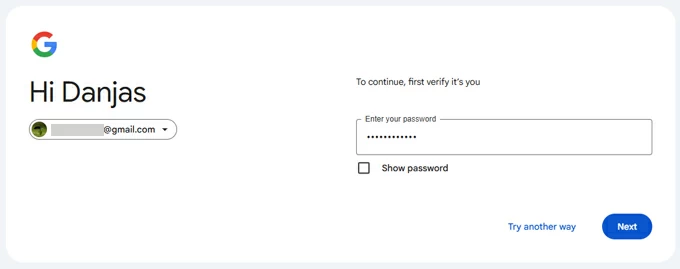
4. You'll be prompted to enter the phone number or recovery email provided in security settings.
5. Enter the phone number or recovery email correctly to get a verification code.
6. Check your inbox and enter the code, then go Next.
7. After verification, set a new password for your Google account and enter it again to confirm.
8. Select Save password. Google will sync the updated password with all your linked devices.
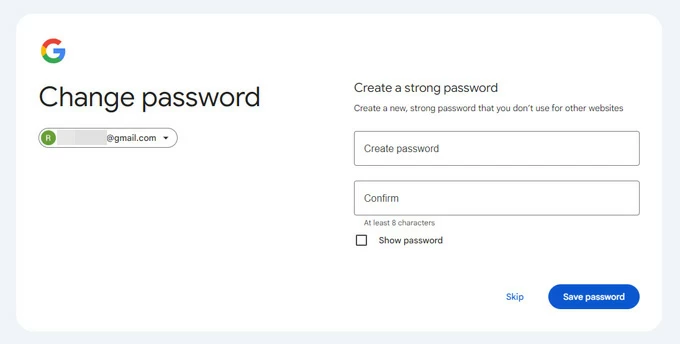
9. Open your Motorola and follow the setup prompts until you reach Verify your account screen.
10. Enter your Google account and the new password to sign in.
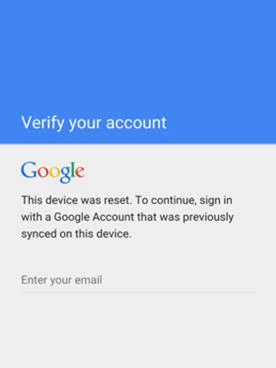
Then, you'll be able to use your Motorola phone again after completing the setup process.
Note:
If you purchased a used Motorola phone that is still linked to the previous owner's Google account, the most effective solution is to have the original owner remotely remove their Google account from the phone. Once unlinked, the FRP lock on Motorola will be bypassed automatically, and the device will no longer require the previous owner's credentials during the setup.
To remove the FRP lock from your Motorola phone remotely, here're the quick steps that the previous user can follow:
1. Open any internet-connected browser and go to Google Account settings page.
2. Sign in with the associated Google account and password.
3. Move to Security & sign in from the left-hand sidebar and then select Your devices > Manage all devices.
4. From the sign-in devices, locate the Motorola phone that requires FRP bypass.
5. Check the three-dot menu next to the Moto phone and select Sign out option.
6. Confirm the sign-out option again.
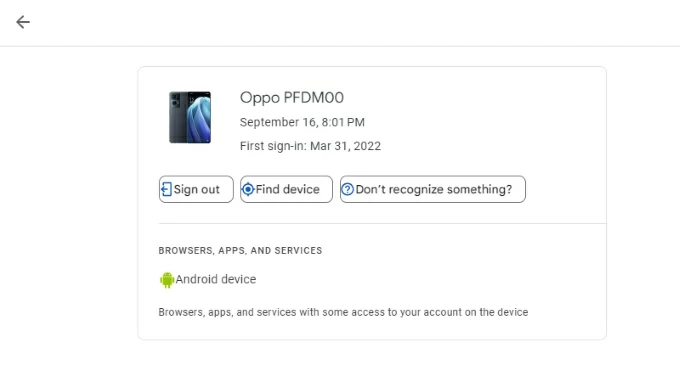
Once done, the previously-synced Google account will be removed from your phone, without needing to bypass the Motorola FRP lock anymore.
If Google account recovery or remote account removal is not possible, trusted third-party tools such as Appgeeker Android Unlocker can help bypass FRP lock on Motorola devices efficiently.
This capable tool is designed specifically for unlocking Android phones and tablets. Not limited to Motorola, it supports FRP lock bypass on a wide range of Android brands, and allows you to remove various screen locks like PINs, passwords, patterns, fingerprints, and face recognition.
Key features for Motorola FRP lock bypass:
Whether you have forgotten your own Google account credentials or cannot contact the previous owner for account removal, the beginner-friendly steps below can help you bypass the Motorola FRP lock and regain full access to your phone after a factory reset:
Step 1. Launch Appgeeker Android Unlocker on PC and select Bypass Google FRP lock.
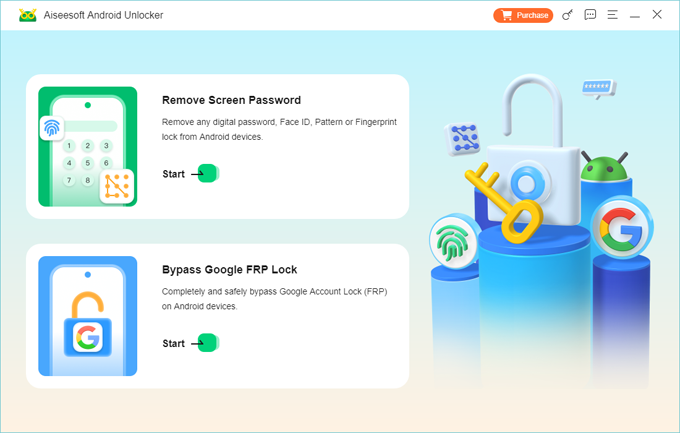
Step 2. Choose Motorola brand and connect your Moto device via a USB cable.
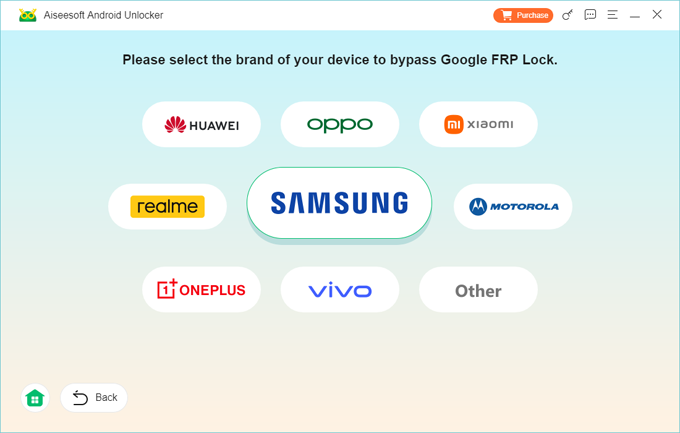
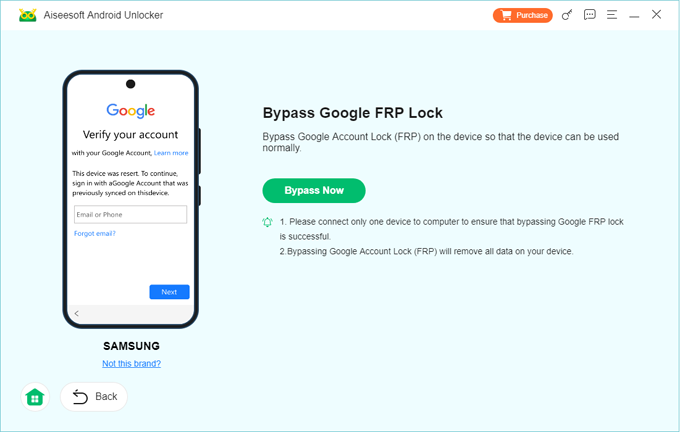
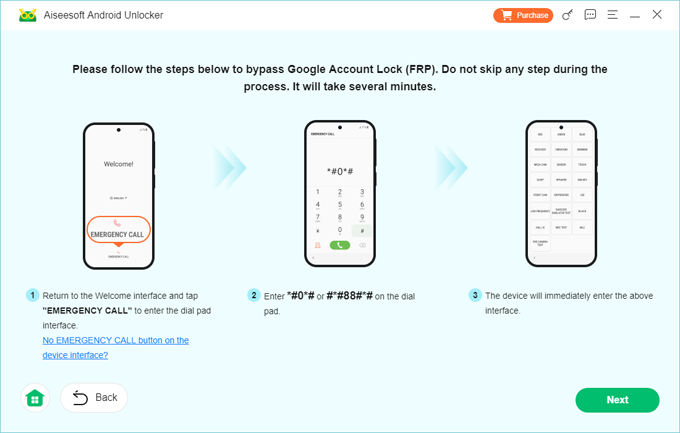
Step 3. Click Bypass Now and follow the onscreen instructions to get your Moto phone ready for FRP lock bypass.
TIP: The preparing steps may vary depending on the specific model you have.
Step 4. Do not unplug your Motorola phone until it bypasses the FRP lock successfully.
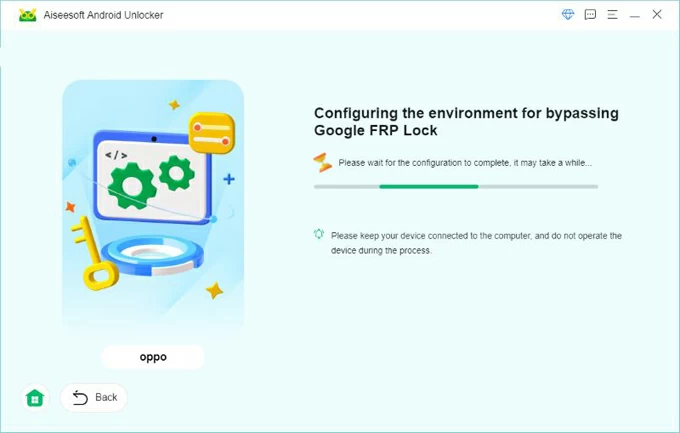
Once the FRP lock is bypassed, you can easily complete the setups on your Motorola phone without needing the original Google account or password.
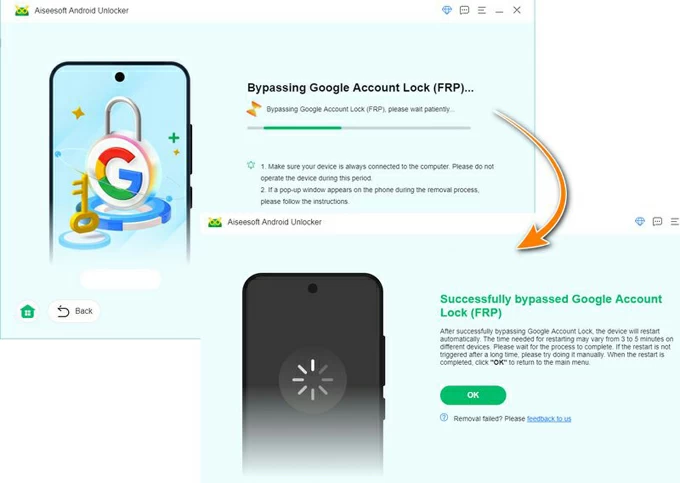
This powerful tool also allows screen lock removal if you're looking to unlock a Motorola phone when you forgot the pattern.
In addition to bypassing the FRP with a PC, you can also regain access to a Google-locked Motorola phone through the Emergency Call method after a factory reset. This approach only works on older Moto devices and involves more complex steps.
If you do not have access to a PC, the following steps may help you bypass the FRP lock on a compatible Motorola phone:
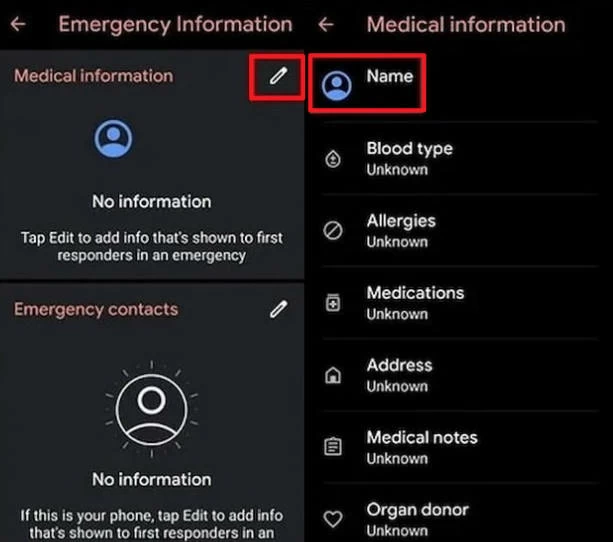
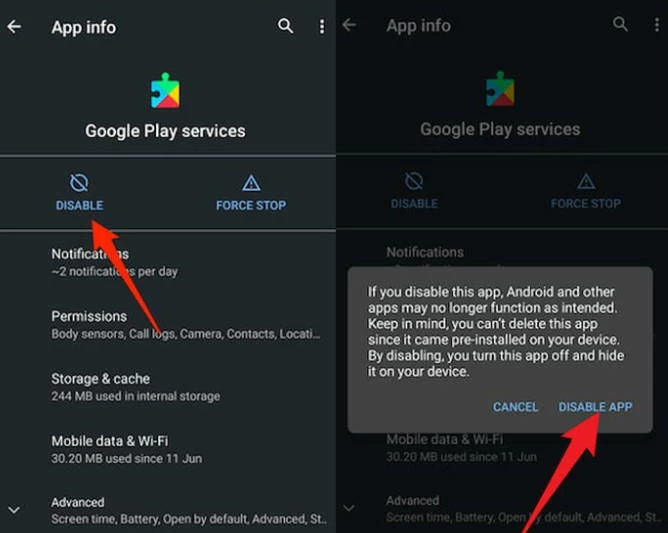
After that, you'll be able to set up your Motorola phone and bypass the FRP lock easily, as the requested settings are removed completely.
Once you've successfully bypassed the FRP lock on your Motorola phone, you regain full control of the device and can sign in with your own Google account to access all Google services.
To avoid feature FRP lockouts, it's important the remove the linked Google account from your Moto phone before performing a factory reset. This automatically disables the FRP lock and prevent the device from requiring Google account verification during next setup. Here's how to do it as long as you have the Google credentials currently associated with this phone:
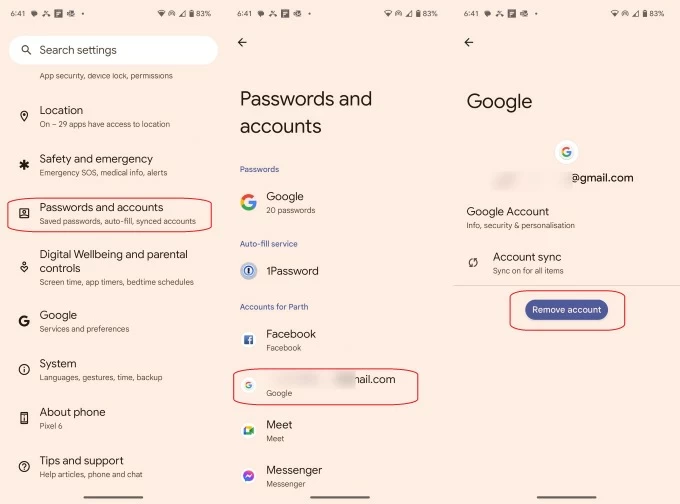
This will delete your Google account and related data and settings from this Moto device completely, including the FRP locks.
Q1 - Will my Motorola phone be FRP locked if I factory reset it?
If a Google account is linked to your Motorola phone at the time of a factory reset, Factory Reset Protection (FRP) is automatically activated during the next setup. You will be required to sign in with the last Google account previously associated with the device.
Q2 - How can I bypass the FRP lock on my Moto phone if I forgot my Google account credentials?
If you forgot your Google account password, you may reset it through the official Google Account Recovery website and then use the updated credentials to bypass the FRP lock and complete setup on your Motorola phone.
If you no longer have access to the account or cannot verify ownership, consider using a reliable FRP bypass tool such as Appgeeker Android Unlocker, which allows efficient FRP bypass without requiring the original Google account credentials.
Q3 - Is it possible to remove a previously synced Google account from a Motorola phone after a factory reset?
Yes. You can sign in to the Google account on another device, locate the Motorola phone under the device list, and remotely remove or sign out of the device to disable the account association.
If you have a used Motorola device still linked to the previous owner's Google account and remote removal is not possible, a trusted FRP removal tool like Appgeeker Android Unlocker may be required.