Xiaomi FRP Bypass Guide - Updated


Stuck on Google sign-in screen after a reset? Don't worry! Discover these free FRP bypass tools for Android to regain full access to your phone or tablet easily!

Advanced FRP bypass tool: Whether you've forgotten your Google credentials or inherited a second-hand device locked by FRP, Appgeeker Android Unlocker helps remove the FRP lock and lets you complete the device setup to access your Android phone or tablet normally.
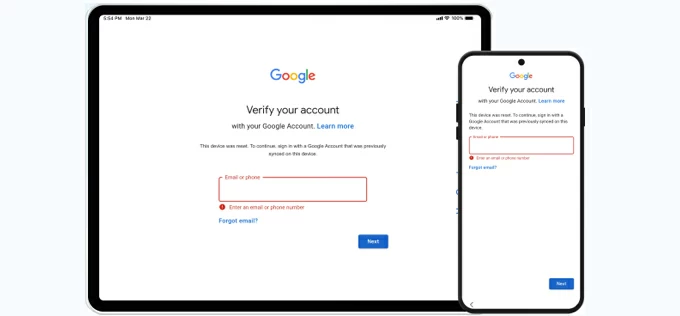
To unlock a phone or tablet after a factory reset without the original Google account, these free FRP bypass tools can help.
After performing a factory reset on an Android device, Google's Factory Reset Protection (FRP) is triggered during new setup. This security feature requires users to verify the Google account that was previously synced to the device before full access is allowed.
If you remember the last-associated Google account and password, simply sign in to complete verification and unlock your phone or tablet. However, if those credentials are no longer available, whether because you've forgotten the login details or the device is still linked to a previous owner, that's where the Android FRP bypass tool steps in.
In this guide, we'll explore multiple free FRP bypass tools for Android, outlining available options to help you bypass the Google account verification and regain full access to your phone or tablet.
Table of contents
FRP refers to Factory Reset Protection, a security feature developed by Google for Android 5.1 and later. It's automatically enabled on Android when a Google account is added to the device. If you perform a factory reset on your phone or tablet without removing the previously-synced Google account, FRP lock is triggered during setup and requires you to verify the last-used Google account before access is granted.
While FRP is great for preventing unauthorized access after reset, it can be a nightmare especially if you've forgotten original Google credentials or purchased a used device still linked to the previous owner's account. This is where free FRP bypass tools for Android come into play.
An Android FRP bypass tool is designed to help remove the Google account and bypass the verification screen, letting users regain access to their FRP-locked phones or tablets when the required credentials are no longer accessible. Thankfully, there are quite a few FRP bypass tools that you can for free.
Use this if you still remember the Google account username and are able to reset the forgotten password online.
Before trying any FRP bypass tool, it's worth attempting to recover your Google account through Google's official Account Recovery page. If successful, you can sign in with the updated Google credentials during setup and pass the FRP verification to regain access to your Android device.
This free method requires a recovery email address or phone number that was previously linked to the Google account in order to verify ownership before password reset.
If account recovery isn't possible, the tools below may help you bypass FRP on Android for free. Keep reading to find the option that best fits your device and Android version.
For those who have no access to the correct sign-in credentials or are unable to recover their Google account, these free tools can help bypass FRP on Android to regain device access.
Use this if you no longer remember your Google credentials and prefer a free, PC-based FRP bypass tool.
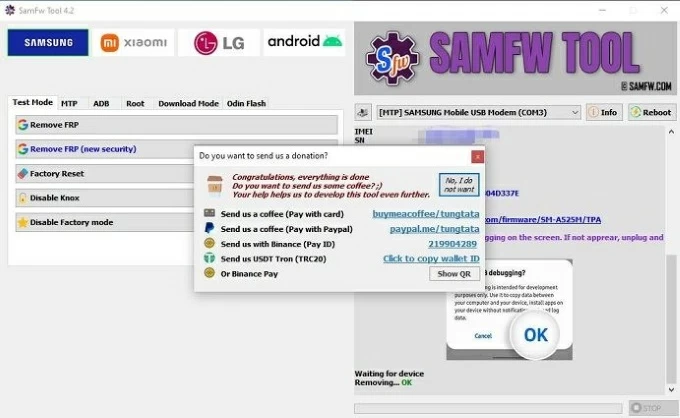
SamFw FRP Tool is widely regarded as an effective free tool for FRP bypass on Android. It primarily supports Samsung devices across multiple Android versions and now also works with certain LG and Xiaomi models.
Popular among technicians and advanced users, SamFw operates through ADB (Android Debug Bridge) and manufacturer-specific commands. This allows the tool to bypass Google account verification after a reset, so you can regain full access to your Android device without needing the previously-associated credentials.
Pros
Cons
Use this if you want to bypass FRP directly on the Android without using a PC.
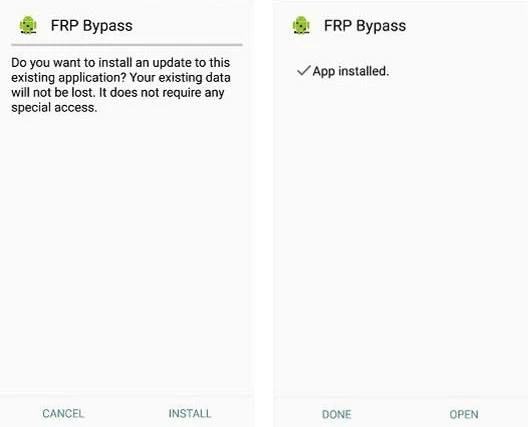
Pangu FRP Bypass APK is a popular tool that allows users to perform FRP bypass on their Android devices for free. As an APK-based tool, it can be installed on the device directly, helping you bypass Google account verification after a reset by enabling sign-in access with a new or different Google account.
It is compatible with Android versions from 5.0 (Lollipop) up to Android 13 and supports a wide range of brands and models, including Samsung, Vivo, OPPO, Lenovo, LG, and others.
Pros
Cons
Use this free Android FRP bypass tool if you have an OTG cable available for installing it on your device directly.
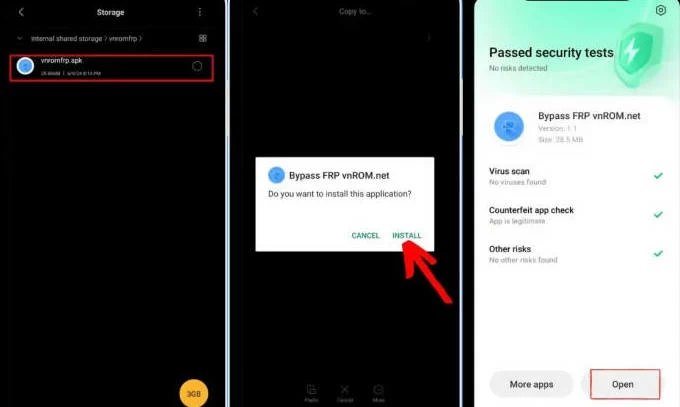
If you cannot verify your Google account after factory resetting your phone or tablet, vnROM can be a helpful free tool for bypassing FRP on Android without a PC.
vnROM FRP Tool works directly on Android devices. It allows access to system settings through Android's TalkBack feature. From there, you can perform a complete factory data reset, which removes the FRP lock along with all existing data. After that, the Google account verification screen will no longer appear during new setup.
However, installing and using the vnROM FRP bypass tool requires an OTG cable and several manual configuration steps, which may be challenging for beginners.
Pros
Cons
Additionally, some free tools can bypass FRP lock for specific Android brands.
Use this if you're bypassing FRP on a Samsung device and want a free, PC-based tool with a simple interface.
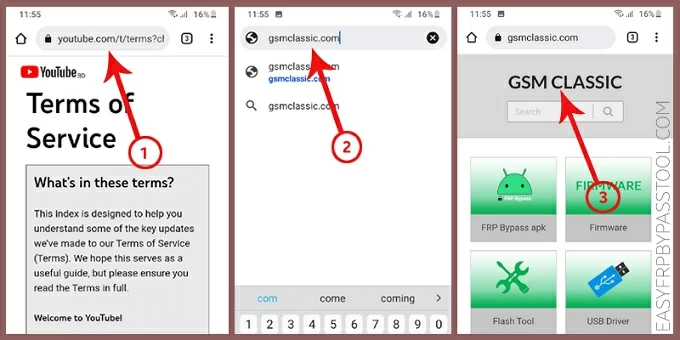
If you're using a Samsung phone running Android 9 or later, Easy Samsung FRP Tool provides a free way to bypass Factory Reset Protection on supported Samsung models. Developed by Easy-Firmware, the tool is designed with a straightforward interface, making it relatively easy to use compared to more technical FRP solutions.
The tool works by enabling access to a web browser through YouTube on the FRP lock screen. From there, you can navigate to system settings and disable Google-related services, including the FRP lock. Once completed, you can regain full access to your Samsung phone without entering the previously synced Google account.
However, its last known update is Easy Samsung FRP Tool 2021 V2.7. Thus, it may not be effective for bypassing the FRP newer Samsung devices or more recent Android versions.
Pros
Cons
Use this if you're looking for a free tool to bypass FRP lock on a Motorola Android device.
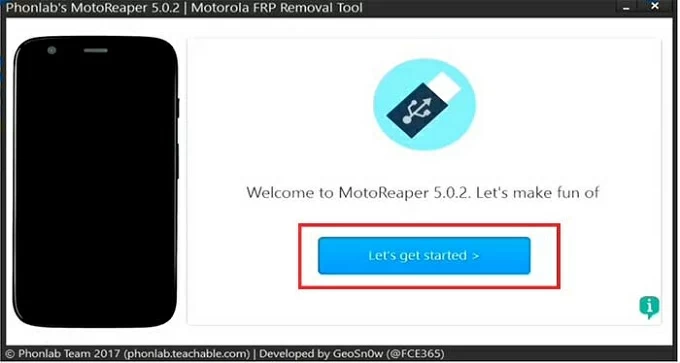
MotoReaper is a specialized, free FRP bypass tool for Motorola devices. If you've forgotten the Google account credentials previously associated with your device, MotoReaper can help remove the Google FRP lock on Motorola and restore access at no cost.
The process is relatively straightforward and suitable for non-technical user. It operates by connecting the locked Moto device to a computer in bootloader mode and running an automated script to perform the FRP bypass.
Pros
Cons
Use this if other free FRP bypass tools can't unlock your Google-locked phone or tablet successfully.
When your Android device is stuck on the Google account verification screen and you're unable to provide the required credentials, Appgeeker Android Unlocker can serve as a reliable FRP bypass tool to help you regain instant access to your phone or tablet.
This PC-based FRP bypass tool features a user-friendly interface, high success rates, and broad compatibility with many major Android brands and models.
With just a few guided steps, it enables you to remove the previously synced Google account and bypass the FRP verification screen quickly. Without needing the original Google credentials, you can complete the setup process and access your Android device again.
When you're ready, simply follow the step-by-step guide below to bypass Android FRP lock:
Step 1. Open Appgeeker Android unlocker and select FRP bypass mode.
Install and open the bypass tool on a Windows PC, then select Bypass Google FRP Lock from its main interface.
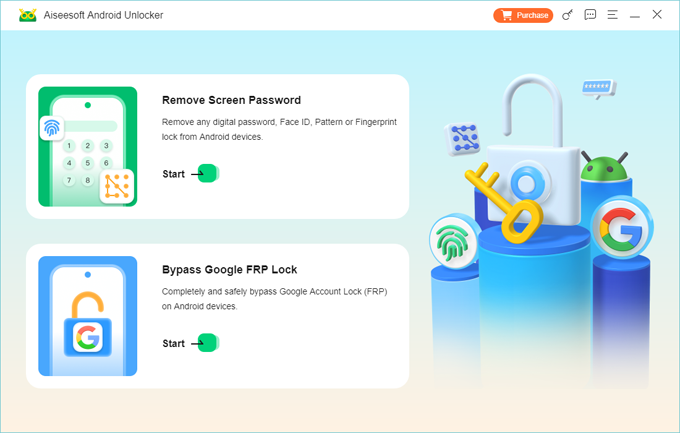
Step 2. Select the Android brand of your phone or tablet and connect it with a USB cable.
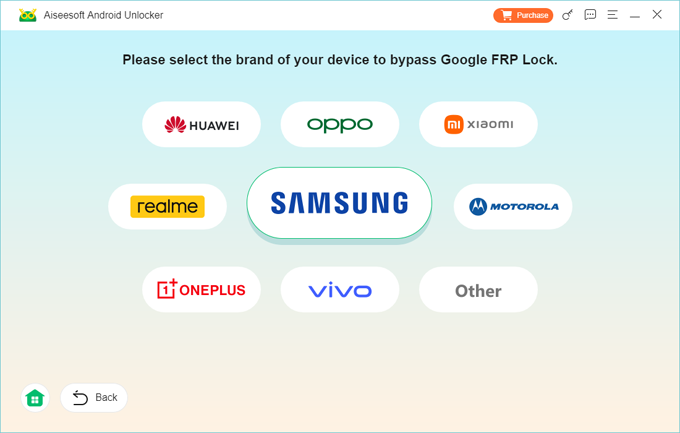
Step 3. Bypass FRP on your Android phone or tablet.
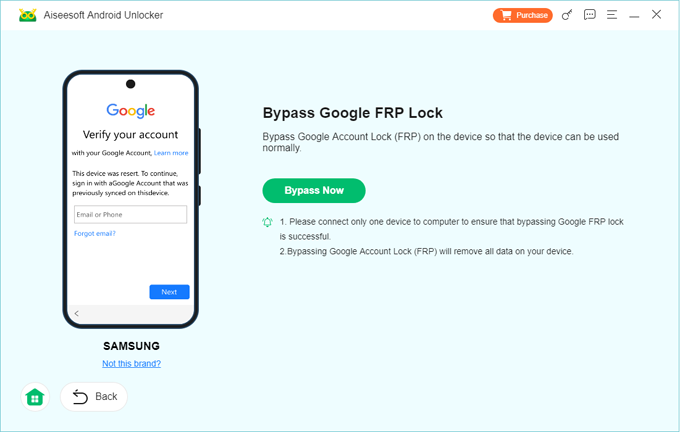
Click the Bypass Now button. When prompted, follow the onscreen instructions to get device ready for FRP bypass.
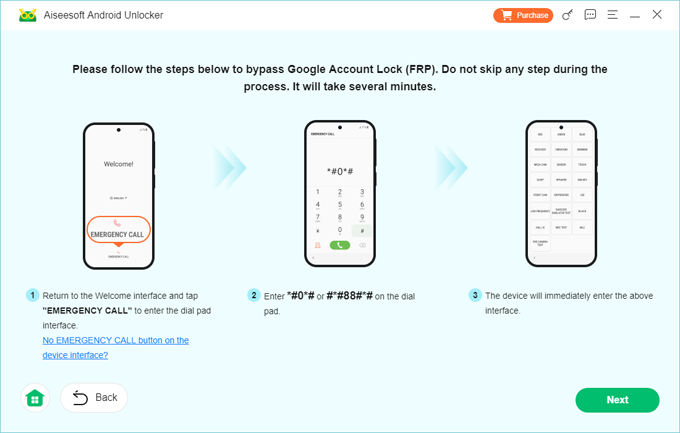
The unlock tool will configure the environment automatically. Keep your device connected until the FRP bypass process is complete.
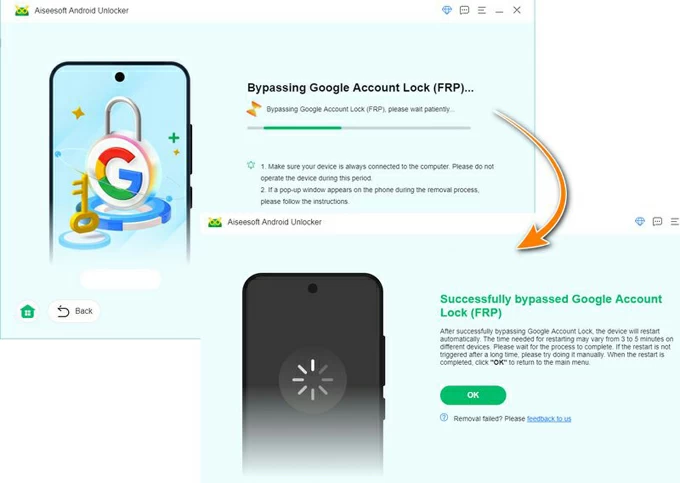
Once the FRP is bypassed successfully, you can go through the setup prompts to access your phone or tablet again, no Google account verification required.
In addition to FRP bypass, it also supports Android lock screen removal, allowing you to remove various screen locks such as PINs, passwords, patterns, fingerprints, and facial recognition.
Pros
Cons
Depending on your Android brand and system version, you can choose between APK-based, PC-based, or brand-specific FRP bypass tools to unlock a Google-locked phone or tablet at no cost.
When selecting a free FRP bypass tool, keep the following points in mind:
If the free tools fail to restore access to your device, consider using a trusted 3rd-party tool such as Appgeeker Android Unlocker for a more efficient FRP bypass experience. Alternatively, some online FRP removal services may also help bypass the Google account lock on Android devices through remote assistance.
Q1 - Can you remove a Google account from an Android device to avoid FRP?
Yes. If you remove the Google account from your Android device before performing a factory reset, the FRP lock will be disabled. The exact options may vary by device. Here are the general steps:
Q2 - Is there any free FRP bypass tool for Samsung?
Yes. Several free FRP bypass tools are available for Samsung devices. Common options include Odin, SamFw FRP Tool, and Easy Samsung FRP Tool. All of them are widely used for bypassing FRP lock on supported Samsung models.
Q3 - Which free FRP bypass tool for Android can I use without a PC?
To bypass Android FRP without PC, APK-based tools are the best option. Free tools like Pangu and vnROM FRP APK can be installed directly on the Android device to initiate an on-device FRP bypass process.
Q4 - How can I bypass FRP on my Android phone after a reset?
The free tools introduced in this guide can help you bypass FRP even after a factory reset, whether you prefer to use a PC-based or APK-based solution. Keep in mind that many tools only support specific Android brands, models, or system versions.
For a more convenient and widely compatible option, you may consider a third-party solution such as Appgeeker Android Unlocker. It supports a broader range of major Android phones and tablets of various brands, letting you bypass Android FRP after a reset easily.